Change a space with a sentence.
Resize the house, lift the walls, widen the doorway or rename a room. Preview each supported command before applying it.
Momentium Creative SuiteOne of four creative products
Web editor / OPEN FOR EXPLORATION
Give an idea dimension.
Design a room, a house or your next object. Edit dimensions with text, explore the plan and keep the exact geometry.
Web editor · exact geometry and editable feature history
FORM / ARCHITECTURE LAB / REAL CAD
Design a room. Make it a home. Step into an editable studio house and shape its walls, openings and floor plan with Form’s actual CAD tools.
Make the house 9 m widePREVIEW → APPLY → KEEP EDITINGThe exact solids rebuild. The footprint becomes 54 m². The plan dimensions update with the model.
Then try: Rename studio to My creative home
Try A house. In your words. here. Interactive controls load as this card comes into view.
Resize the house, lift the walls, widen the doorway or rename a room. Preview each supported command before applying it.
Editable profiles and extrusions form separate walls, openings, lintels, a slab and furniture volumes.
House dimensions, partition placement and computed room areas update with the prepared design.
Change room labels and use native drawing tools to edit notes, sheet titles, scale and revision.
Explore BIM spaces and quantities, linked plans and sections, and the editable 3D model in Form’s specialist tools.
Save your .form project, export the current plan as DXF, or download the finished exact solids as STEP.
Prepared concept-design exercise with supported text commands. Exact model geometry and BIM coordination views are distinct; this is not a construction-ready house or a building-code review.
FORM / REAL STUDIO WORKSHOPS
Three fashion exercises, inside the actual Form interface. Shape a skirt, sew a T-shirt and compare a dress in silk and denim—with live tools, guided steps and editable projects.
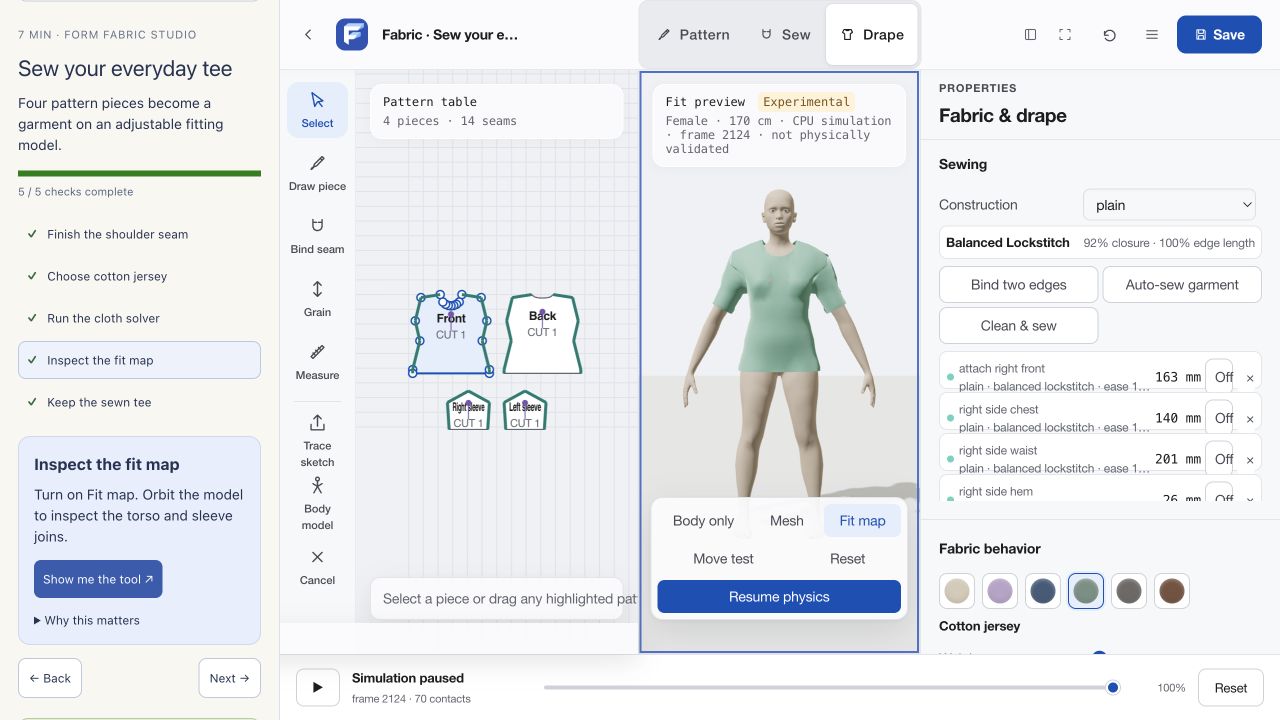 ACTUAL FORM UI / EDITABLE PATTERNS + LIVE CLOTH SOLVER
Try Make the Orbit pendant here. Interactive controls load as this card comes into view.
NEW / A PRECISION CAD PROJECT
Sketch an offset pendant, give it depth, join the loop and cut the openings. See the drawing and the solid side by side, with nine size-and-thickness combinations to explore.
Made with Form’s sketch and precision CAD tools. The image is a render of the actual CAD geometry.
FORM / MODEL STUDIES
Four models. Twelve moments in the studio.
Explore a shape, see it in Form, then make it yours.
Loading the model explorer…
INTERACTIVE MODEL STUDYDrag to rotate · arrow keys work tooINSIDE FORM STUDIO
Actual desktop browser captures · 30 September 2026
MOMENTIUM / LEARN BY MAKING
Sculpt a creature. Twist a vessel. Build a repeating pavilion. Ten short lessons turn your first experiment into an editable project, using four supplied models and six purpose-built starters.
New featured project: sketch a piece of jewelry
Twist, taper and repeat. Start with a silhouette and finish with a system.
02 / MAKE THE MODELS YOURSSculpture → relief → terrainExplore your supplied models through sculpting, surface details and displacement.
03 / GET PRECISESketch → dimensions → handoffBuild a clasp, ring or enclosure. Keep the editable geometry and export a view.
Watch a few useful decisions, then make your own version.
Loading your learning workspace…
Download your project, then use Open project in the full app. Your learning workspace is saved locally on this browser when storage is available.
THREE FRESH STARTING POINTS
Rendered examples of the actual lesson geometry. Open these projects in Form, or choose a starter in the interactive workspace above.
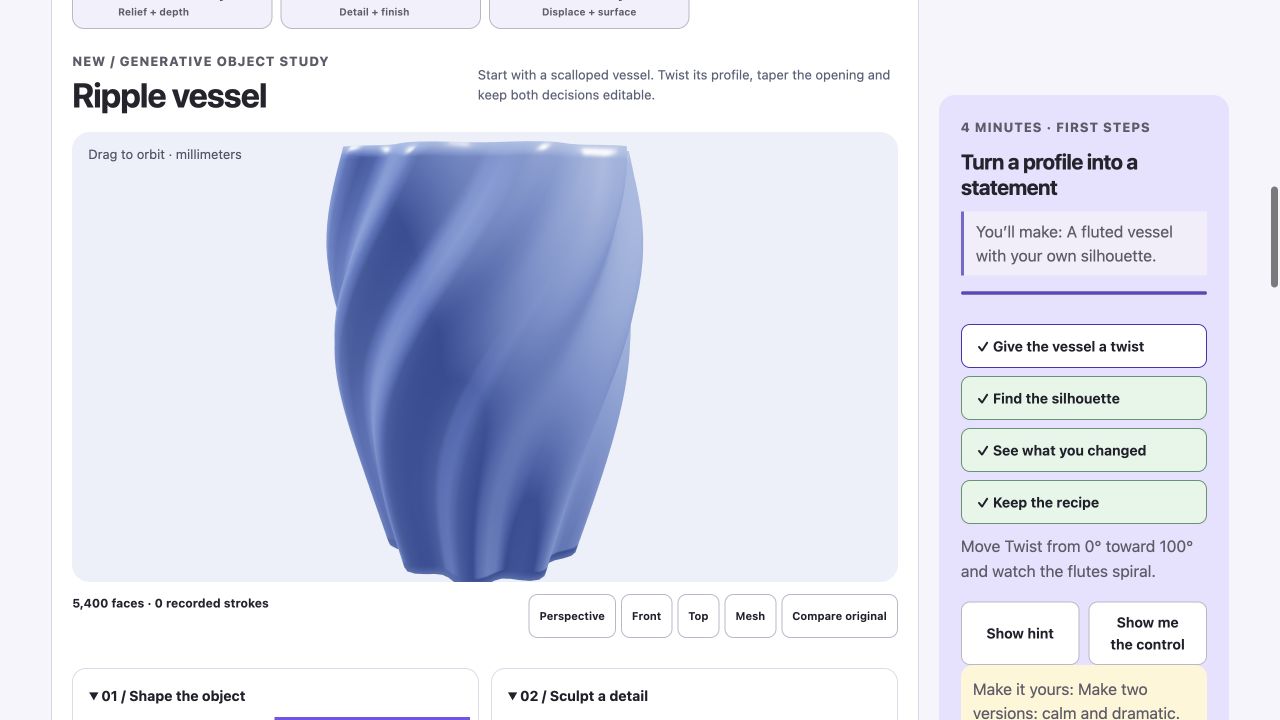
Try Turn a profile into a statement here. Interactive controls load as this card comes into view.
A scalloped profile, a solid base and two editable modifiers. Twist it into your own signature object.
Try Lumen shade here. Interactive controls load as this card comes into view.
An open fluted shade. Explore its proportions, reverse the twist and try a warmer finish.
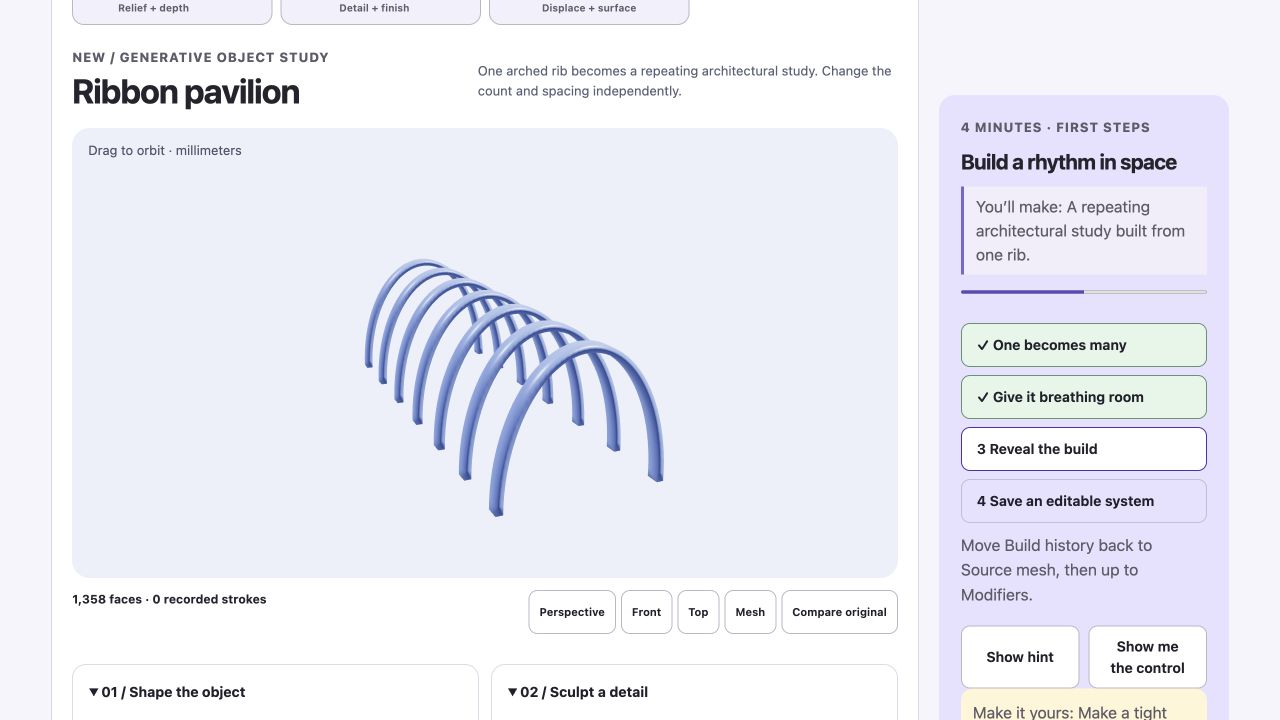
Try Build a rhythm in space here. Interactive controls load as this card comes into view.
One arched rib becomes a spatial rhythm. Keep the array count and spacing editable.
Try A house. In your words. here. Interactive controls load as this card comes into view.
Architecture · text commands · dimensions
Open full lessonTry Make the Orbit pendant here. Interactive controls load as this card comes into view.
Sketch · dimensions · jewelry
Open full lessonTry A skirt, from the block up. here. Interactive controls load as this card comes into view.
Pattern drafting · seam allowance
Open full lessonTry Sew your first T-shirt. here. Interactive controls load as this card comes into view.
Seams · pattern pieces · fit
Open full lessonTry One dress. Two different feelings. here. Interactive controls load as this card comes into view.
Draping · fabric · pattern design
Open full lessonTry Turn a profile into a statement here. Interactive controls load as this card comes into view.
Ripple vessel · twist · taper · comparison
A fluted vessel with your own silhouette.
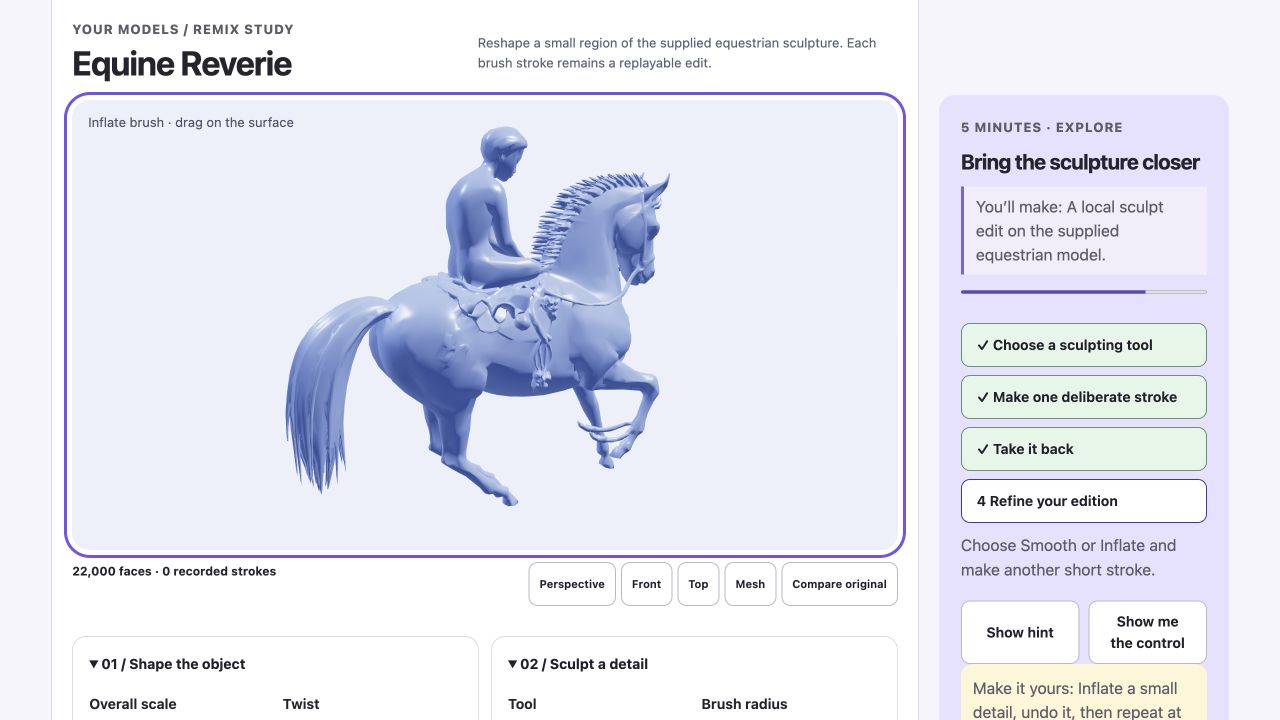
Start lessonTry Bring the sculpture closer here. Interactive controls load as this card comes into view.
Equine Reverie · sculpt · smooth · undo
A local sculpt edit on the supplied equestrian model.
Start lessonTry Build a rhythm in space here. Interactive controls load as this card comes into view.
Ribbon pavilion · arrays · spacing · build history
A repeating architectural study built from one rib.
Start lessonTry Make the detail catch the light here. Interactive controls load as this card comes into view.
Birds in Orbit · Circle of Anarchy · mesh · lighting
A presentation image that reveals the depth of a supplied relief.
Start lessonTry Make the landscape move here. Interactive controls load as this card comes into view.
Terrain · displacement · comparison · STL
A reversible terrain variation and an exported surface.
Start lessonTry Make it your size here. Interactive controls load as this card comes into view.
Dimensions · editable geometry
Start lessonTry See how it was made here. Interactive controls load as this card comes into view.
Sketch · extrusion · bevel · history
Start lessonTry Three objects, one workflow here. Interactive controls load as this card comes into view.
Clasp · ring · enclosure
Start lessonTry Find the right finish here. Interactive controls load as this card comes into view.
Materials · roughness · lighting
Start lessonTry Keep the editable object here. Interactive controls load as this card comes into view.
Form project · PNG · STL
Start lessonSMALL PROJECTS. REAL POSSIBILITIES.
Start with an editable clasp, change its proportions, and compare two finishes before keeping the project.
Compare two real Form renders of the same clasp.
What you getTwo proportions of the same editable design, without rebuilding the object from scratch.
What you getA useful material comparison with the shape and camera held constant.
What you getAn editable source project plus a separate handoff file. This exercise does not validate manufacturing suitability.
Open this .form file using the editor’s project-open command.
Use the starter instructions to open an example in the app. The live workspace loads only when you launch it.
On a small screen, open the app in its own tab for the full workspace.
INSIDE FORM STUDIO
Design precise products, jewelry, and garments in one editable workspace.
16features to explore
Create dimensioned 2D sketches with units, constraints, and editable relationships.
Try this in an exampleBuild and rebuild solid geometry using exact geometry operations, including native desktop geometry services.
Revisit earlier modeling decisions, adjust parameters, and explore configurations.
Try this in an exampleOrganize reusable parts, assemble components, and define mating relationships.
Prepare drawings, quantities, geometric dimensioning and tolerancing metadata, and manufacturing checks.
Start product, engineering, architectural, jewelry, hardware, ring, chain, and linked-system designs from natural-language descriptions or procedural starters.
Extrude, inset, bevel, insert edge loops, crease edges, transform vertices, and sculpt.
Reorder or toggle subdivision, mirroring, arrays, solidification, welding, smoothing, simplification, retopology, bending, twisting, tapering, bulging, and displacement.
Preserve recorded brush strokes and multiresolution sculpt layers instead of immediately flattening every change into geometry.
Draft and grade patterns, define seams, import fit bodies, and inspect fit maps.
Explore fabric behavior with layered, self, and avatar collision support; desktop adds native simulation.
Apply persistent physically based materials, compare lighting environments, adjust exposure and shadows, and export the current camera view as PNG.
Try this in an exampleExplore animation, rigging, and physics-driven studies; these remain subject to beta qualification.
Supported workflows include STEP/BREP, STL, editable DXF, mesh formats, and scoped IFC4/USD handling.
Try this in an exampleVersioned .form and .formcad files, migration of older projects, backups, recovery checkpoints, and atomic native saves.
Authenticated web revisions, shared assets, sharing, and branch/review information.
AFTER HOURS / Form Studio / Web editor
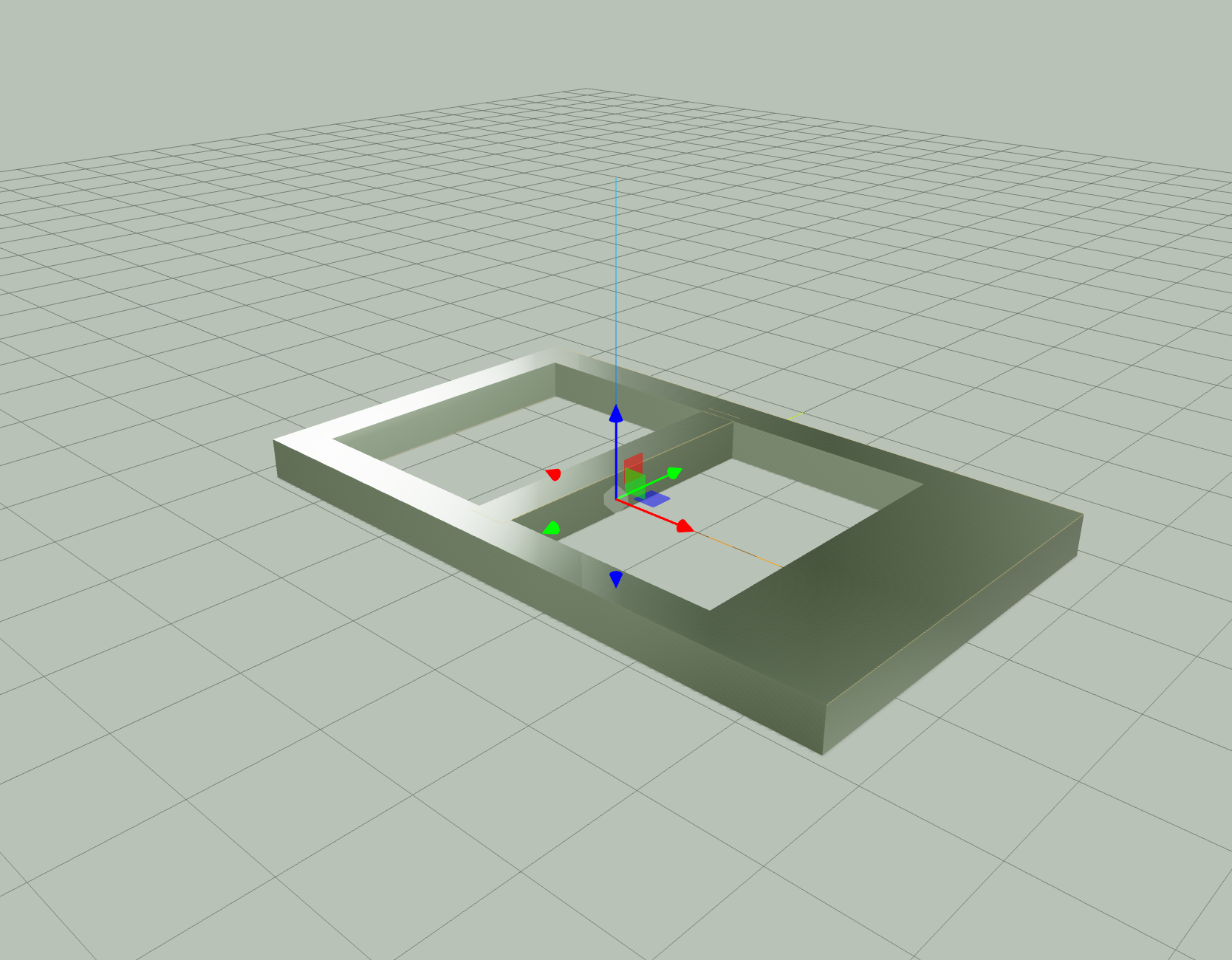
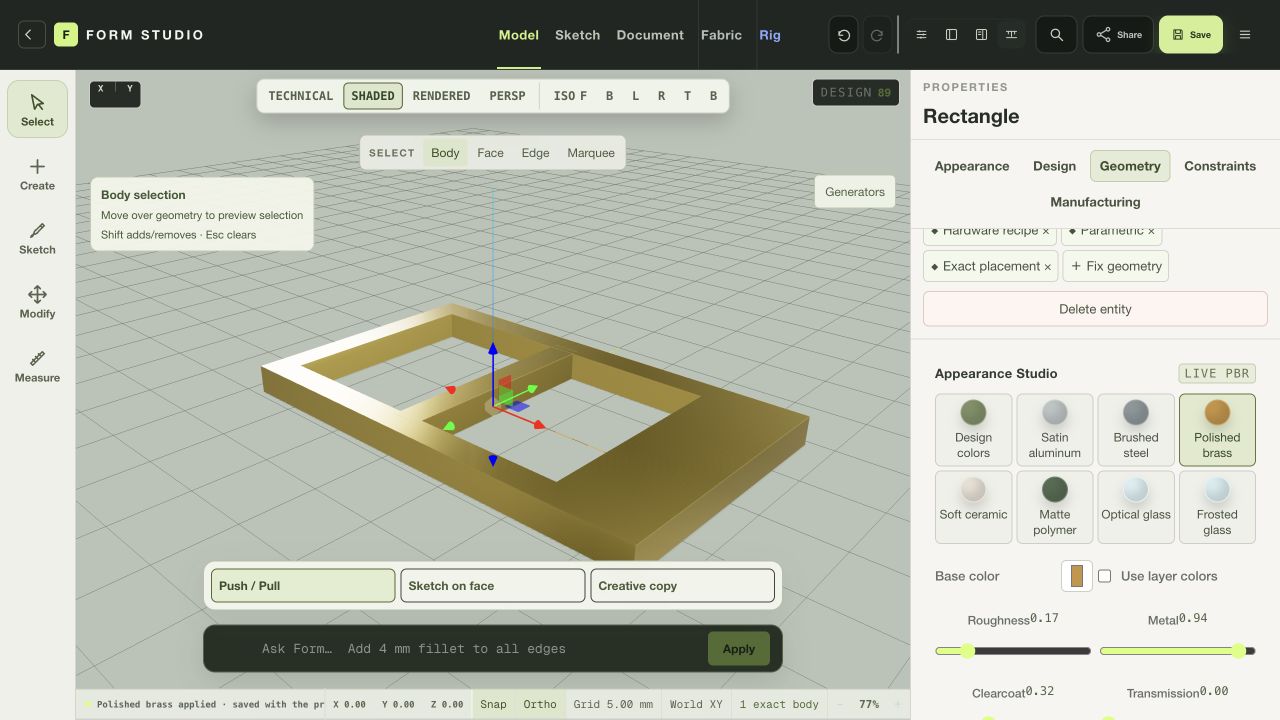
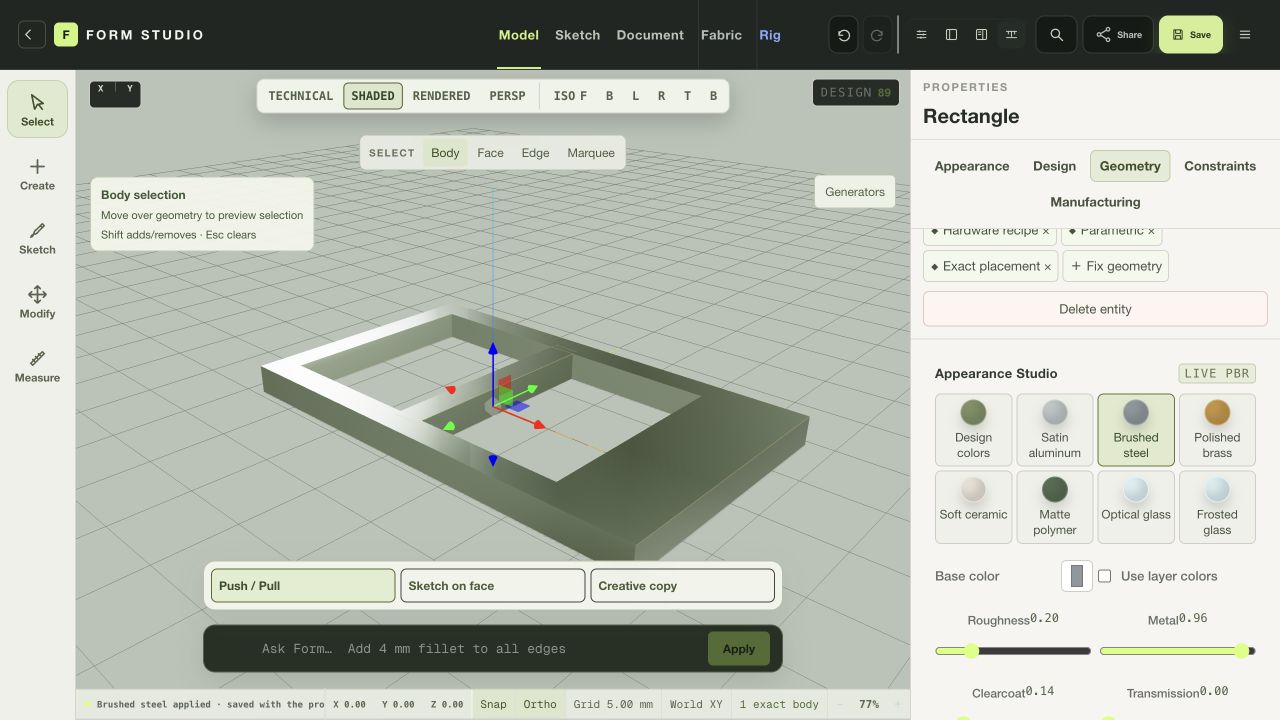
An editable clasp study, from its first proportions to a broader frame and two contrasting metal finishes.
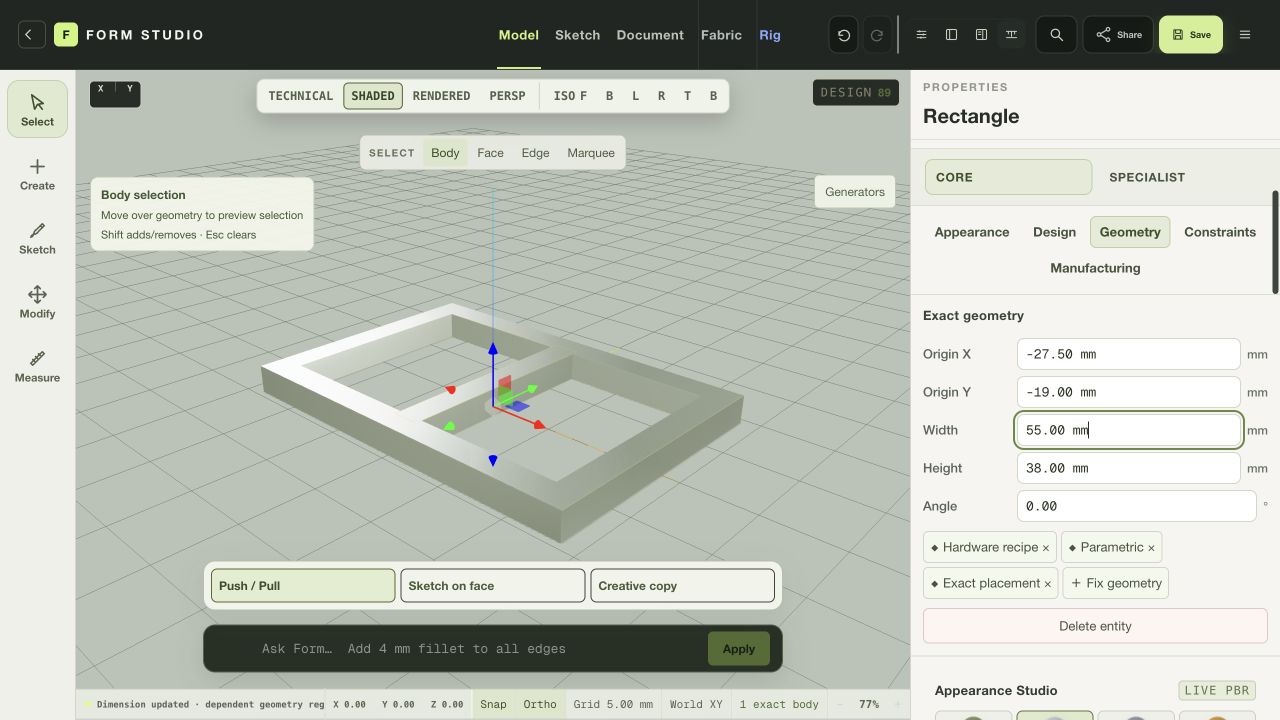
The buckle starter establishes a 55 × 38 mm outer profile. Its frame, openings and centre bar remain in the editable feature history.
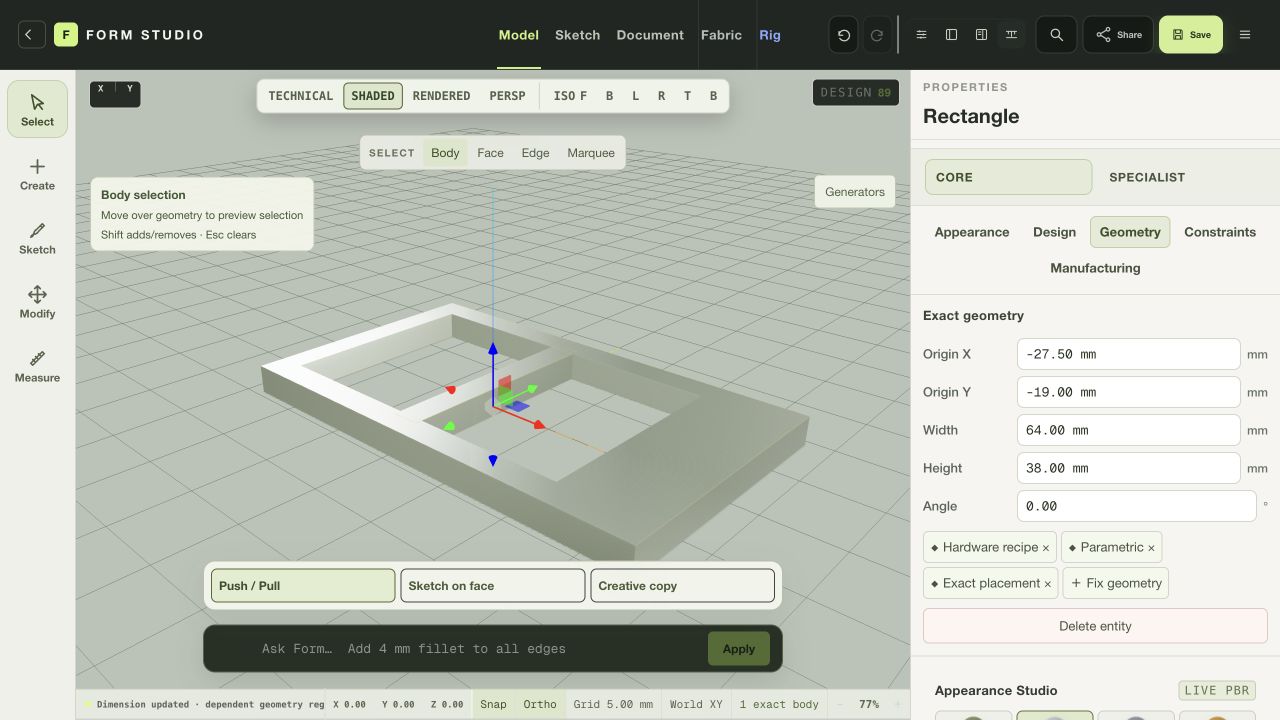
Changing the outer width to 64 mm preserves the openings and gives the right rail more weight. The geometry visibly updates in the same isometric view.
Polished brass changes the surface to a warmer finish, with roughness at 0.17 and metal at 0.94. The camera and geometry stay fixed for comparison.
Brushed steel offers a cooler alternative. The finished state was saved as an editable Form project and exported to a verified PNG.
Actual browser session. The starter’s optional fillet failed and was suppressed; these views show the resulting rectangular geometry. This is a visual study, not manufacturing or fit validation.
Web editor / WORKFLOW GALLERY
Real sessions. Four useful moments. A closer look at what you can make.
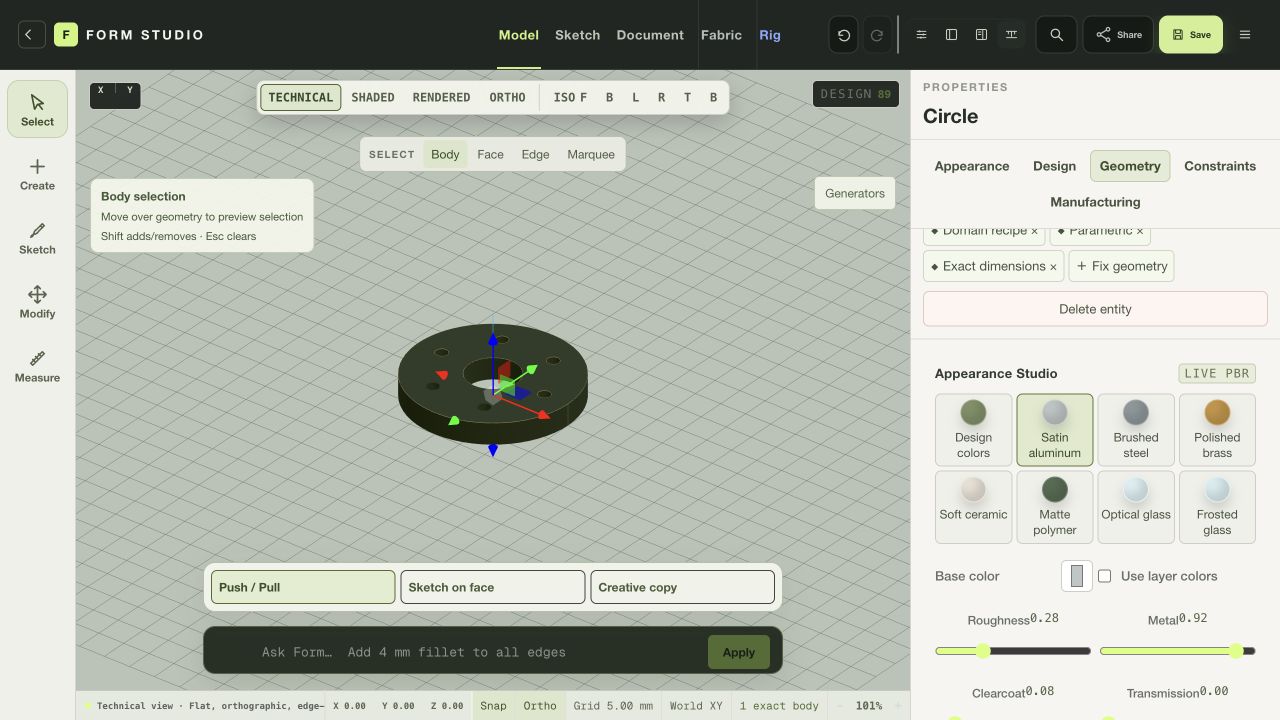
Inspect an original procedural flange in the technical view.
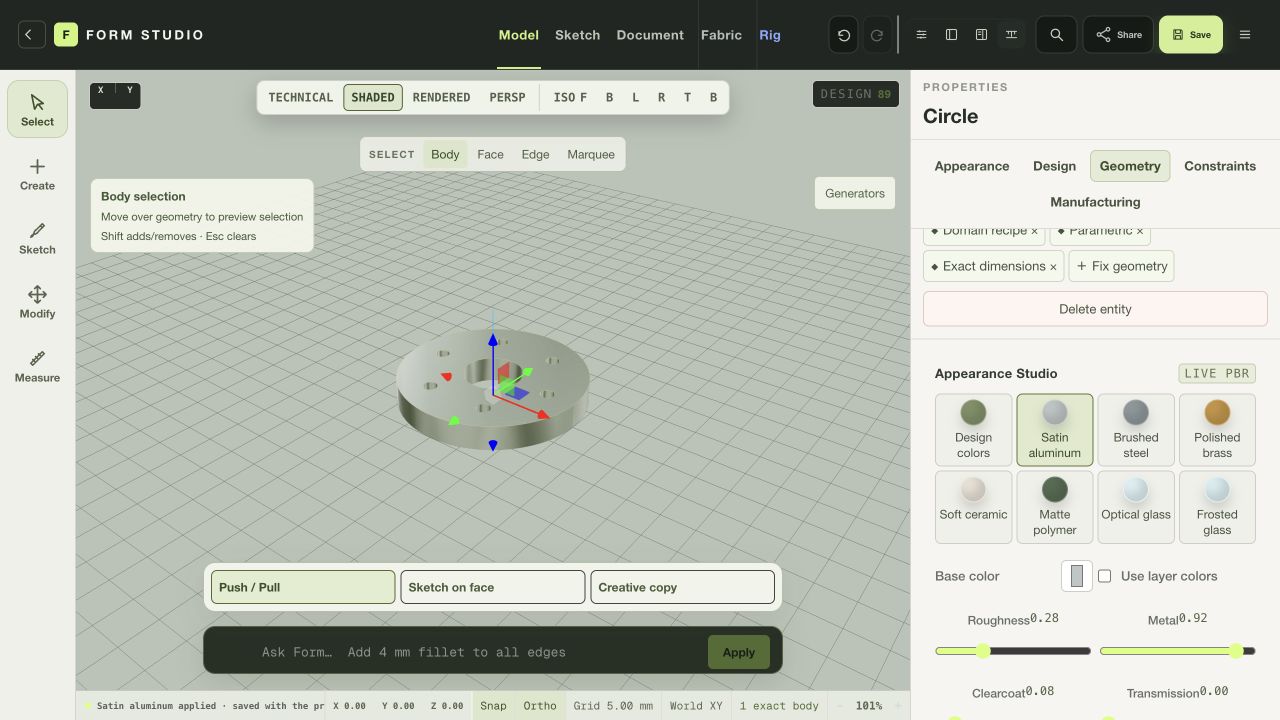
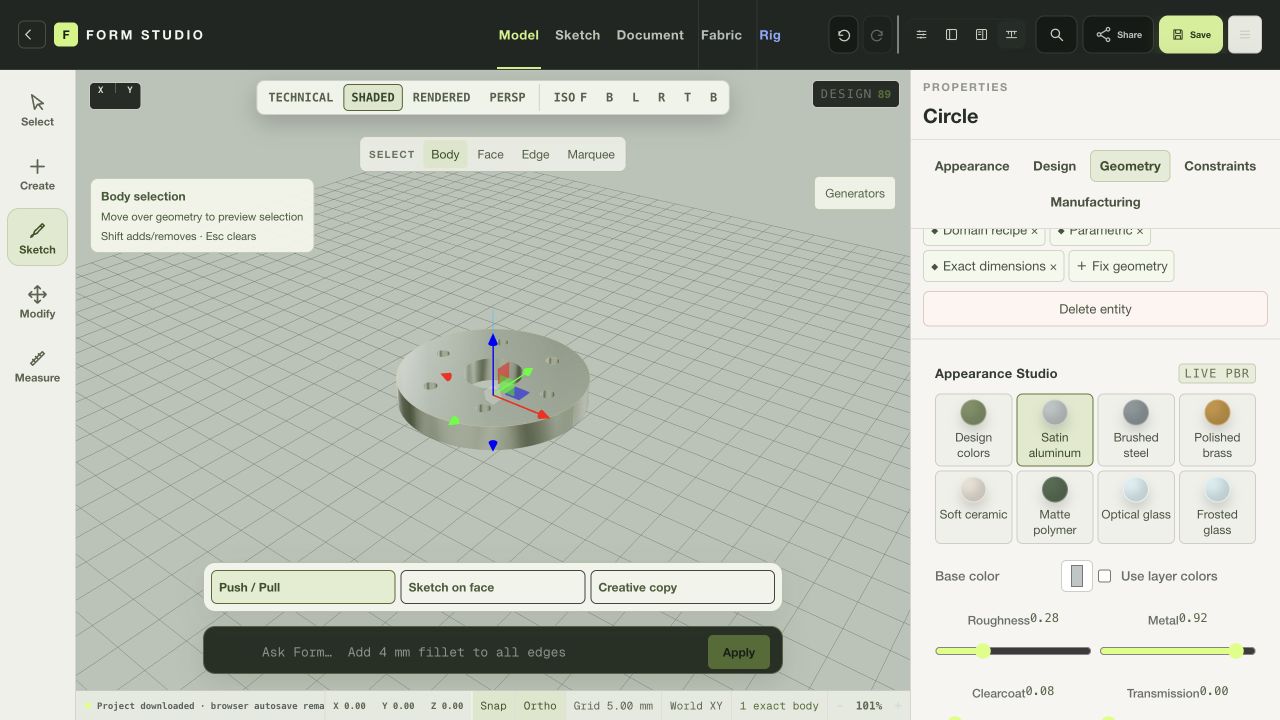
Compare a satin aluminum finish on the same editable part.
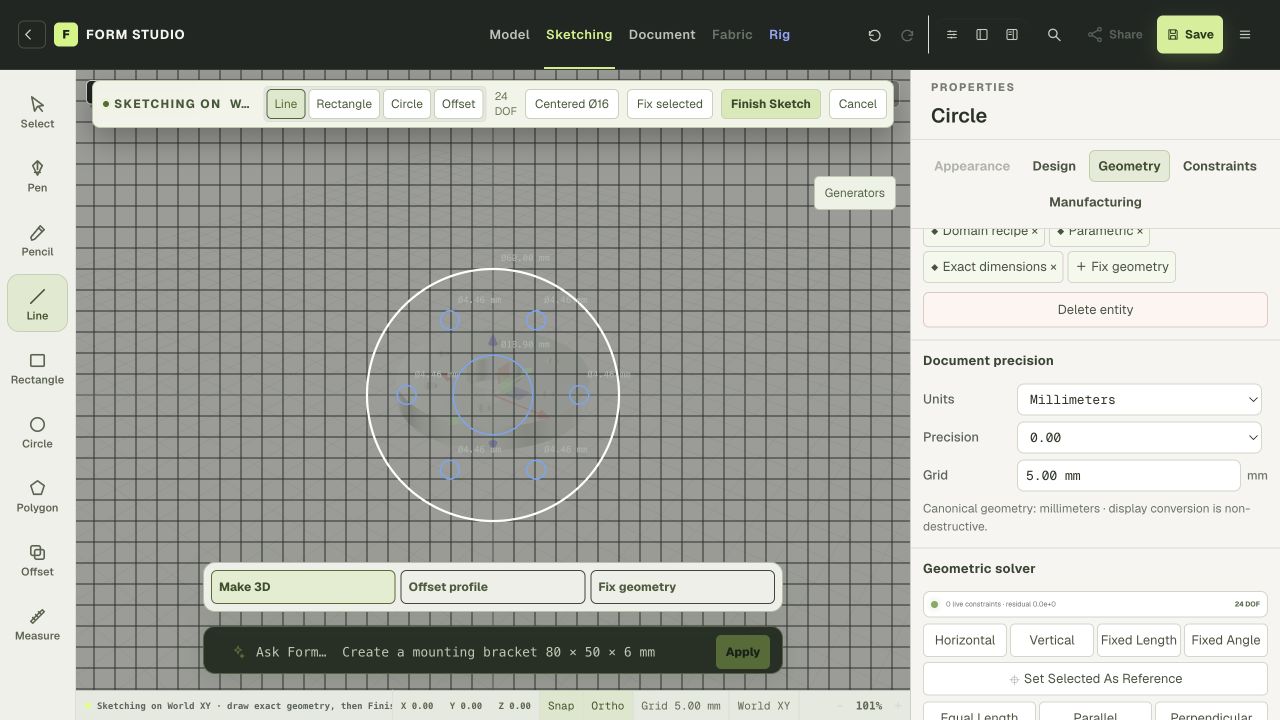
Move into the sketch workspace to develop the next detail.
Save an editable project and explore the available export formats.
Browser geometry and exports vary from the native edition. These views do not qualify a part for manufacturing. Actual browser captures · September 29, 2026.
YOUR BROWSER EDITION
Create editable geometry, explore materials, and save a Form project in the browser.
Native geometry, simulation, filesystem integration and rendering differ from the web edition. Browser work is not certification for manufacturing, engineering or garment fit.
Mac release candidates are under review. Public download links are not available yet. No public iOS build is available.