Inspect before acting
Start with Smart Scan and review storage categories before selecting cleanup candidates.
Other apps from MomentiumAn independent Momentium app
Read-only browser companion / OPEN FOR EXPLORATION
Know what’s taking up space.
Review files you select, find identical content and save a report before deciding what to do next.
Read-only browser companion · your source files stay unchanged
SMALL PROJECTS. REAL POSSIBILITIES.
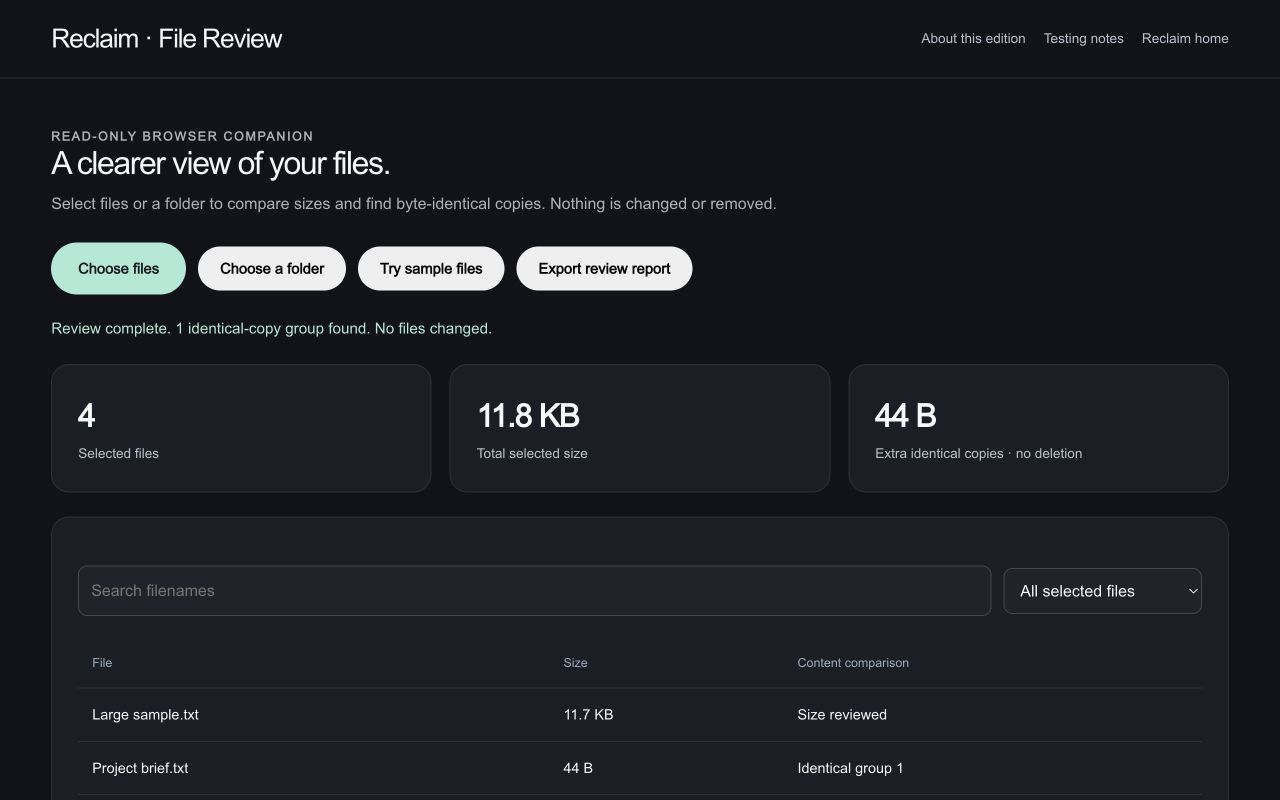
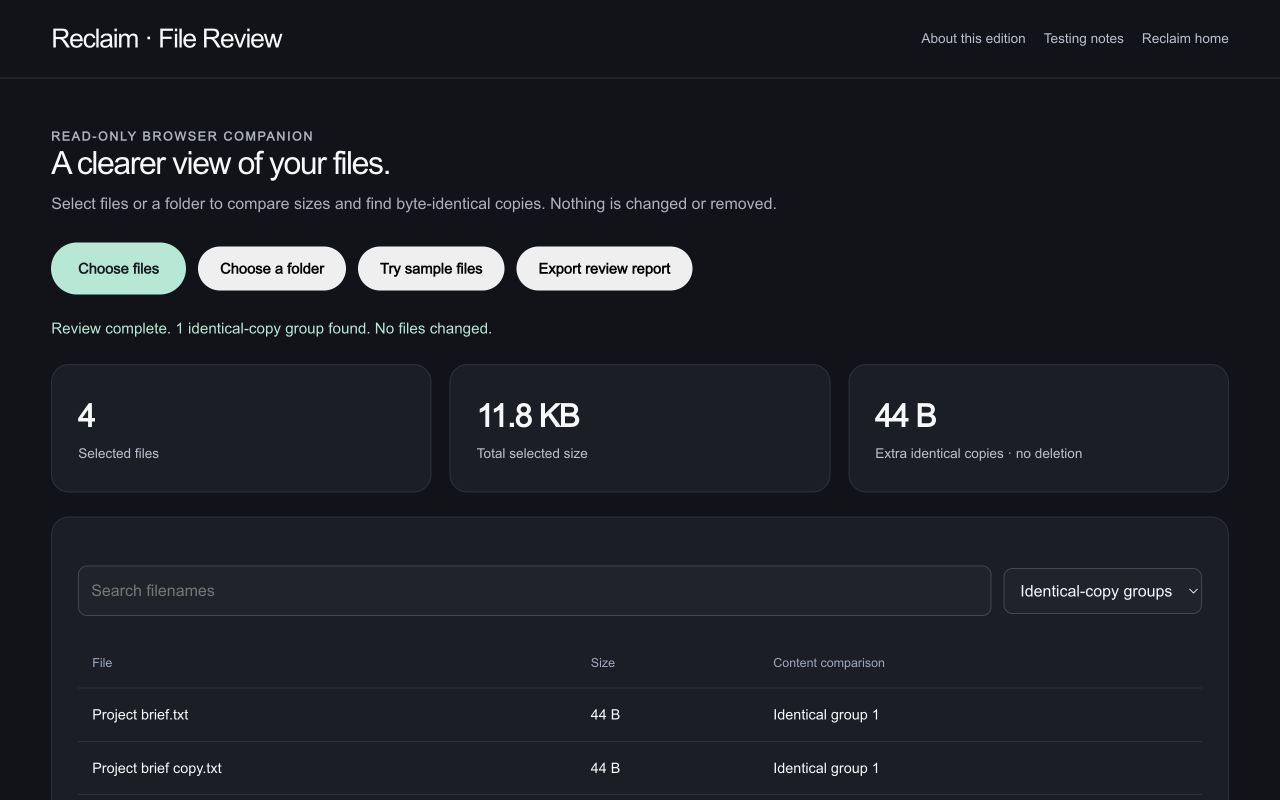
Run a real SHA-256 comparison on four tiny sample files. One pair is identical; the two files named notes.txt are different.
What you getA duplicate group supported by identical file content, not a filename guess.
What you getA clear distinction between same-name files and actual duplicates.
What you getA record of the comparison. This read-only exercise never removes a file.
INSIDE RECLAIM
Understand your storage, review cleanup choices, and retain a recovery step.
16features to explore
Inspect storage and assemble cleanup categories with progress updates.
See capacity, used space, available space, and measured categories.
Drill into folders and large storage consumers.
Find duplicate candidates across selected locations.
Inspect categories and individual items before approving removal.
Move selected items into a recoverable holding area.
Restore retained items from quarantine.
Manage how long quarantined items remain; automatic permanent removal requires an explicitly confirmed policy.
Empty individual batches or the quarantine with confirmation.
Show permission and Full Disk Access limitations.
Surface storage-management suggestions.
Ask storage questions and use supported natural-language file-review flows with the configured provider.
Inspect files or a folder you explicitly choose.
Try this in an exampleCompare eligible equal-size files using SHA-256; oversized files remain labeled “Not compared.”
Try this in an exampleFind filenames and filter duplicate groups or unexamined files.
Try this in an exampleDownload a review report without changing the original files.
Try this in an exampleNATIVE APP PREVIEW
These native features are still in release review. The browser companion supports the smaller workflow described below.
Start with Smart Scan and review storage categories before selecting cleanup candidates.
Review potential duplicates and large files instead of treating every result as disposable.
Move selected files to quarantine and restore them while retained there. Permanent removal cannot be undone; keep an independent backup.
AFTER HOURS / Reclaim / Read-only browser companion
An exhibition folder contains working files, exports, backups, and two notes with the same name. Compare their actual content before making a decision.
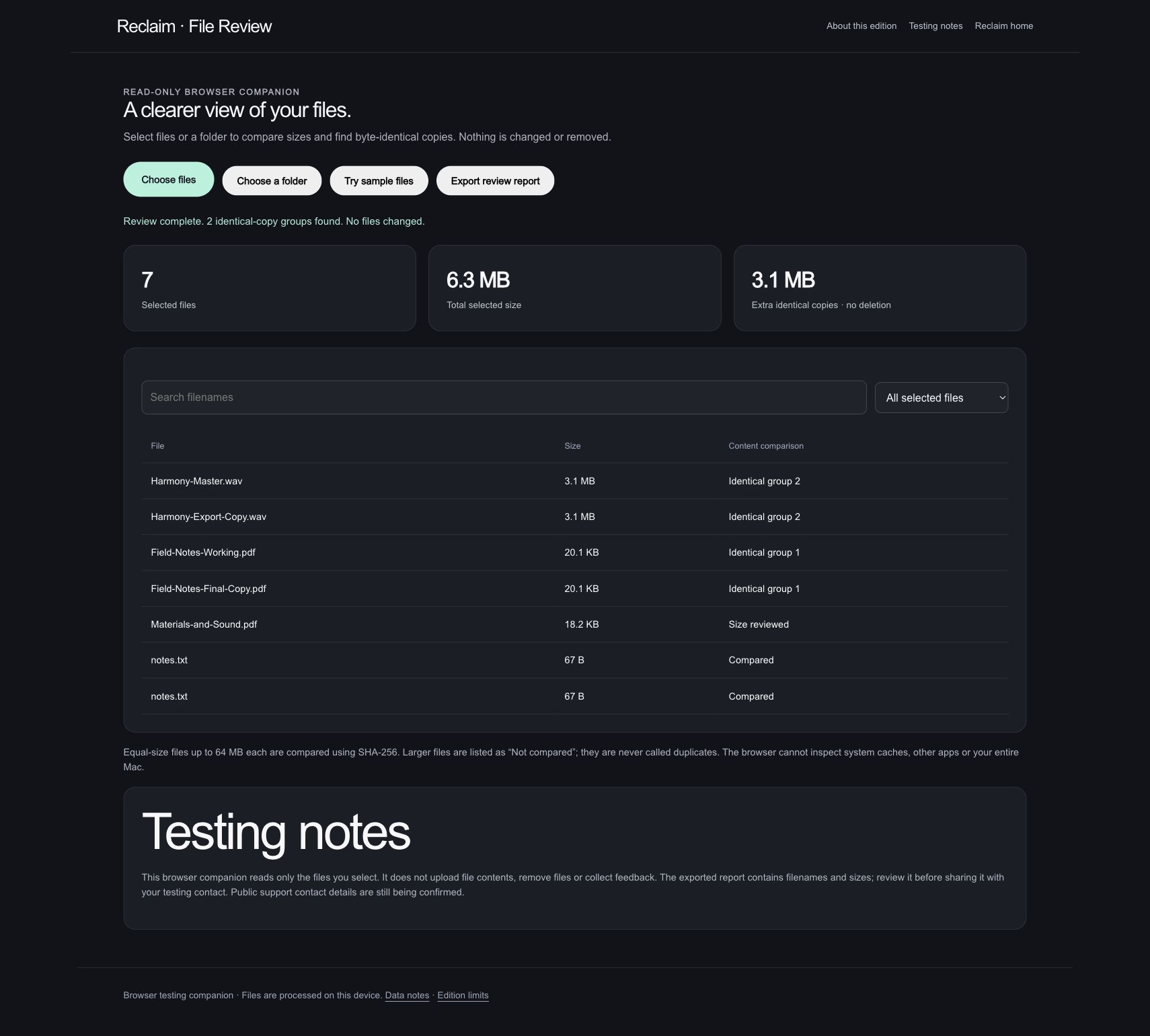
Seven original demonstration files total about 6.3 MB. The review lists their names and sizes and finds two groups of identical content.
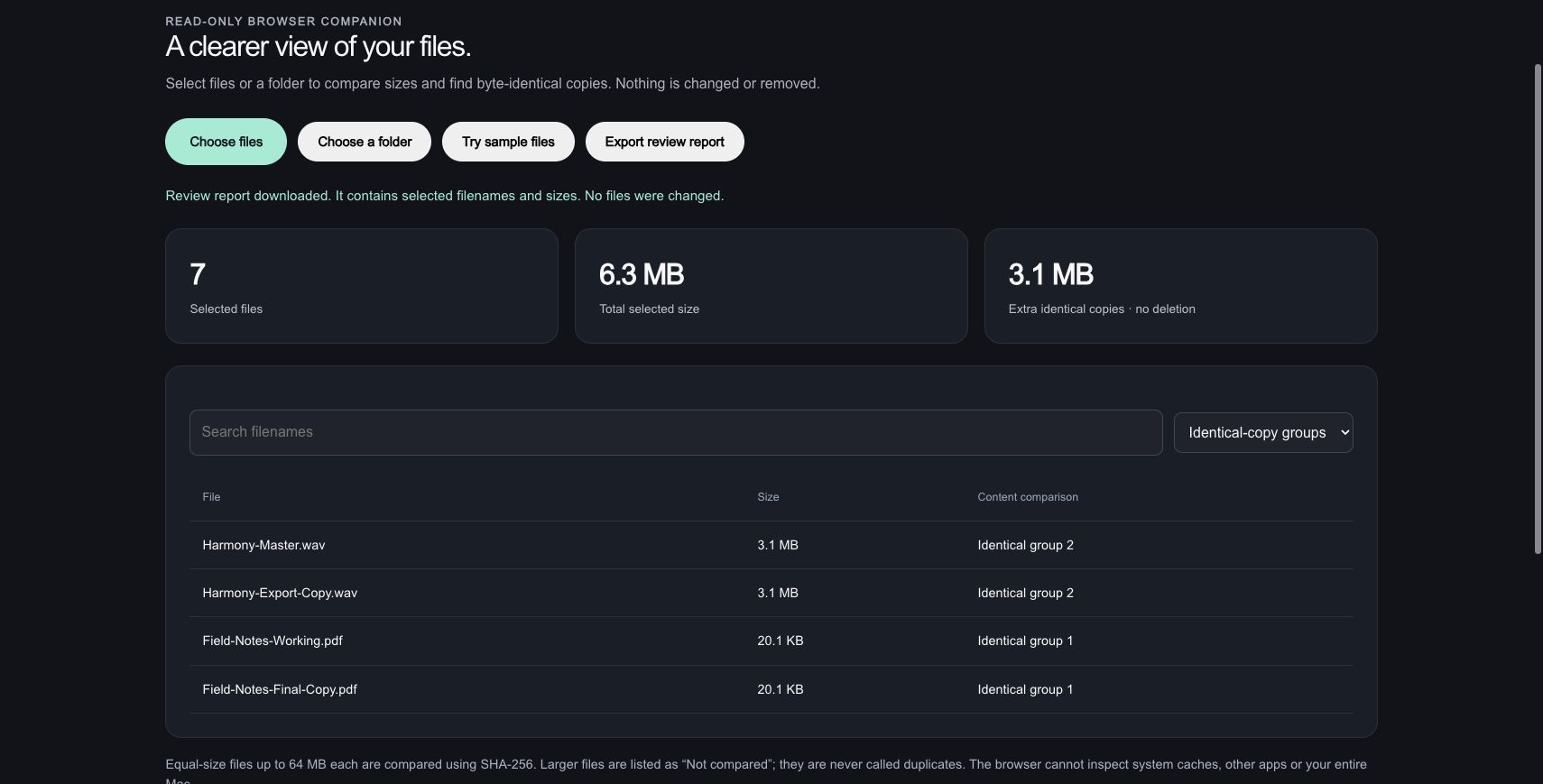
A PDF pair and an audio pair match despite their different filenames. Together, the extra copies account for 3,277,228 bytes; no files were deleted.
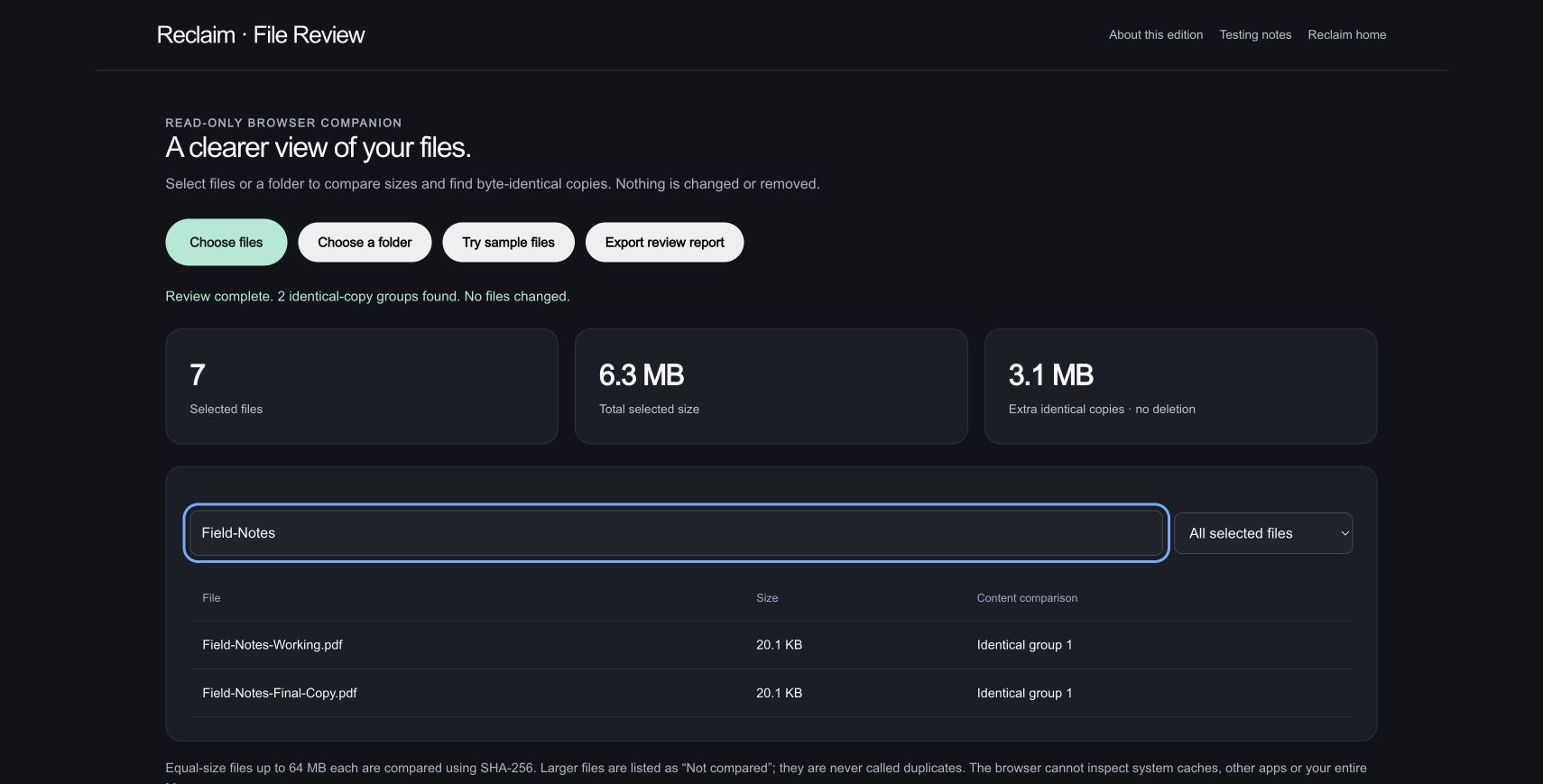
Searching Field-Notes isolates the working PDF and its final-copy counterpart while preserving the full review.
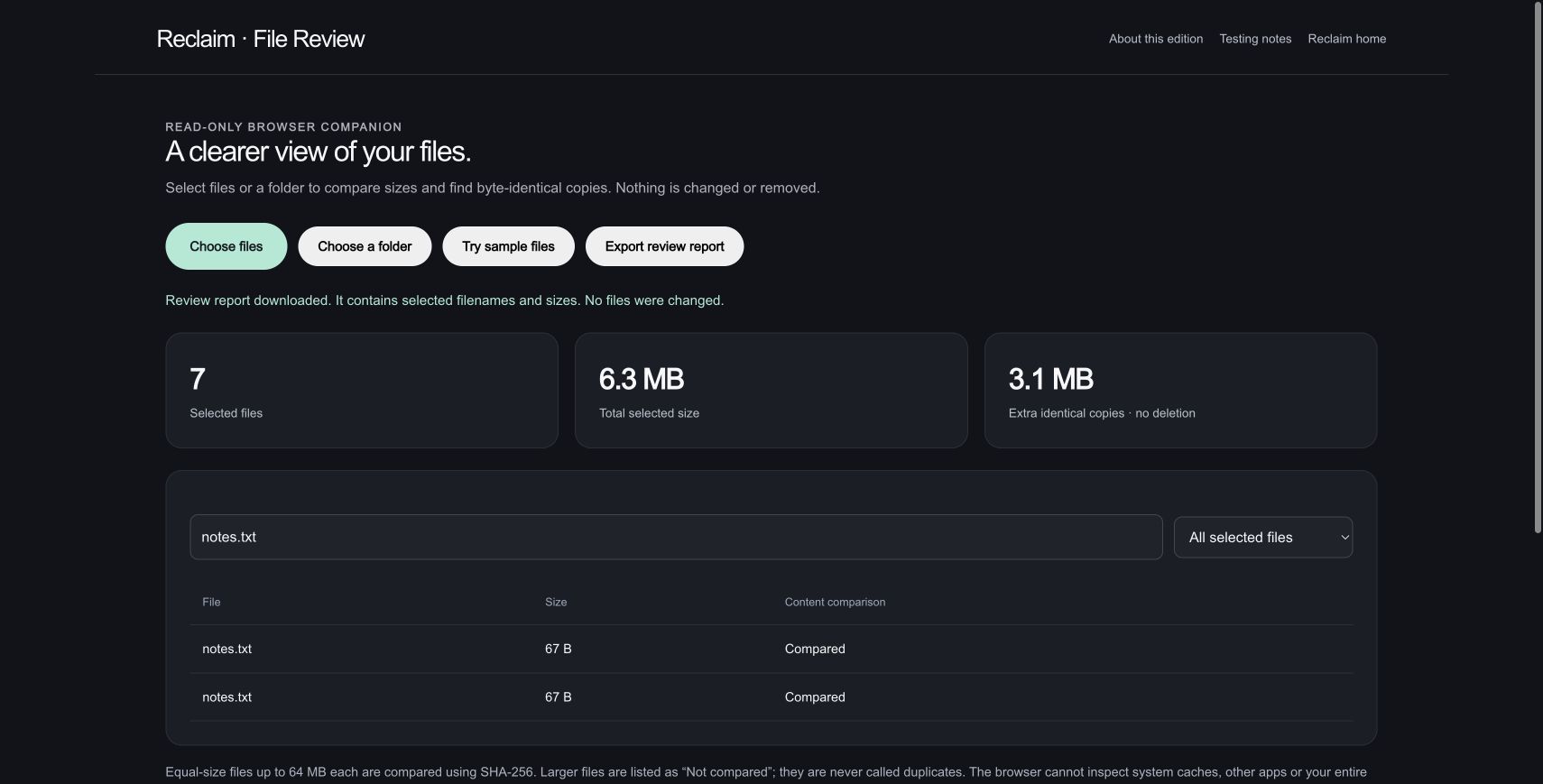
Two 67-byte notes.txt files have different contents and are not grouped as duplicates. The downloaded JSON report records the comparison results.
Actual read-only browser review of disposable fixtures. The downloaded report was parsed against all seven original names, sizes and available hashes. Every source hash remained unchanged. This is selected-file review, not a system scan or a claim of reclaimed disk space.
Read-only browser companion / WORKFLOW GALLERY
Real sessions. Four useful moments. A closer look at what you can make.
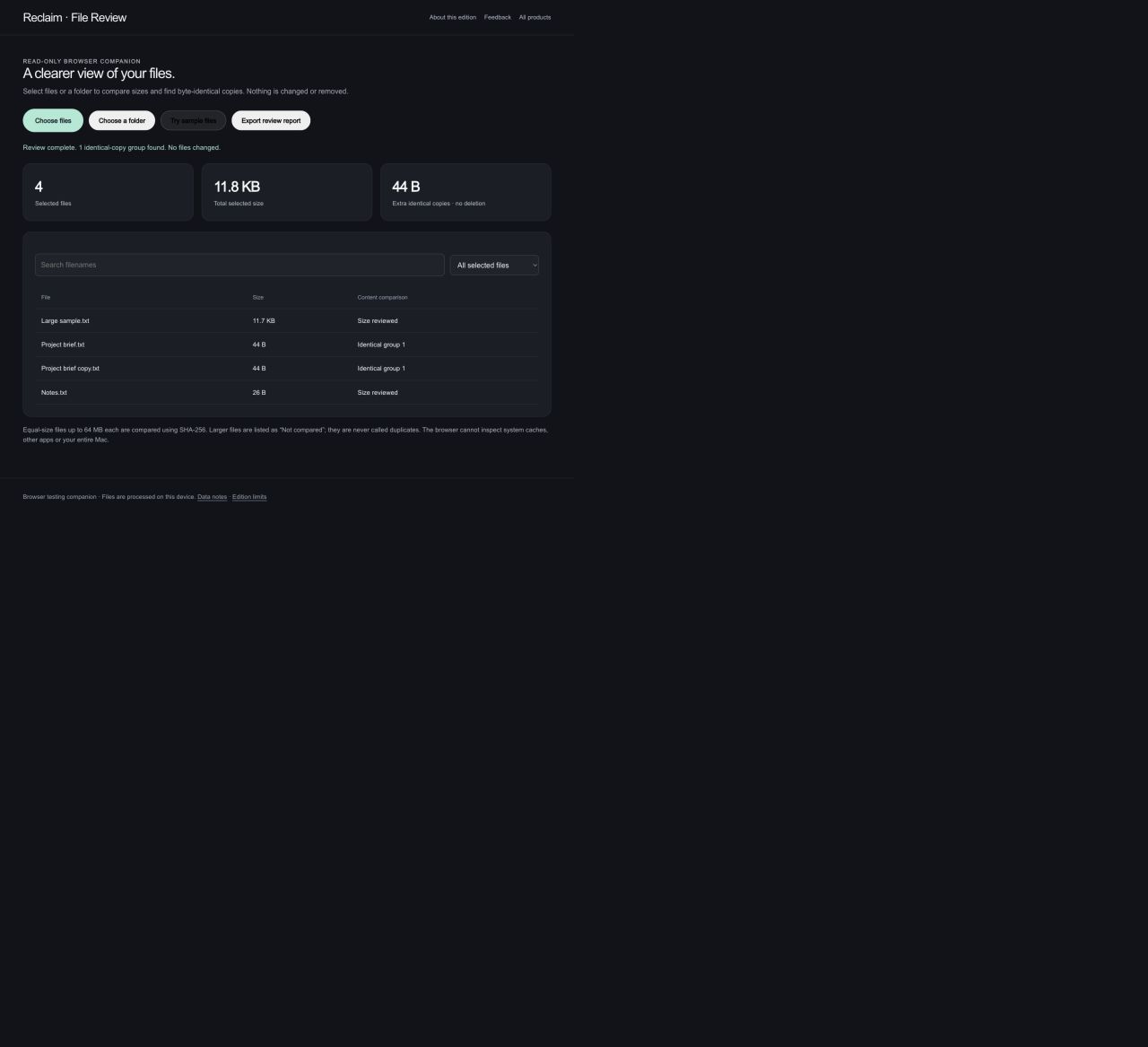
Inspect the sizes and names of files you choose.
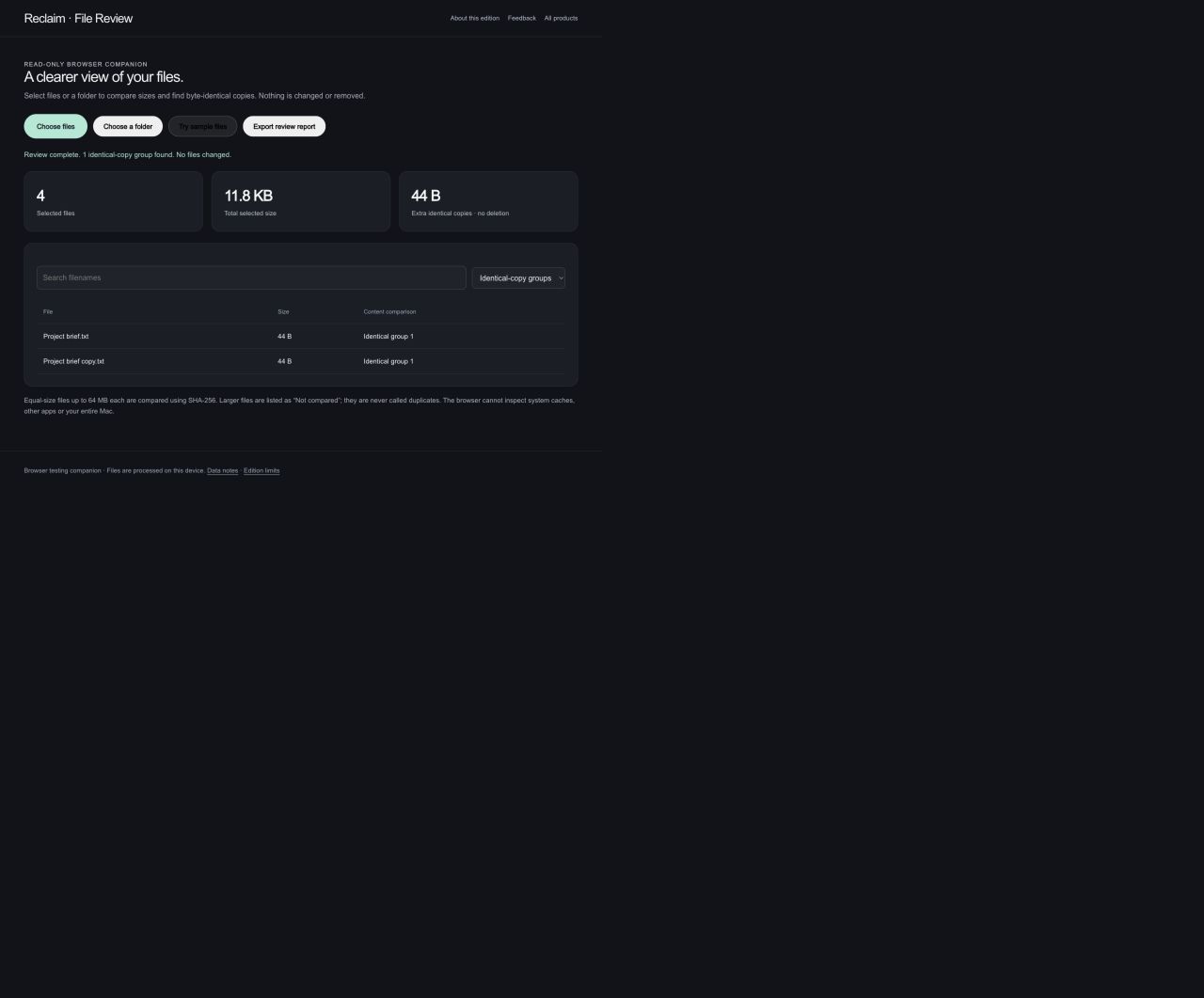
Review copies matched by file content, using original test files.
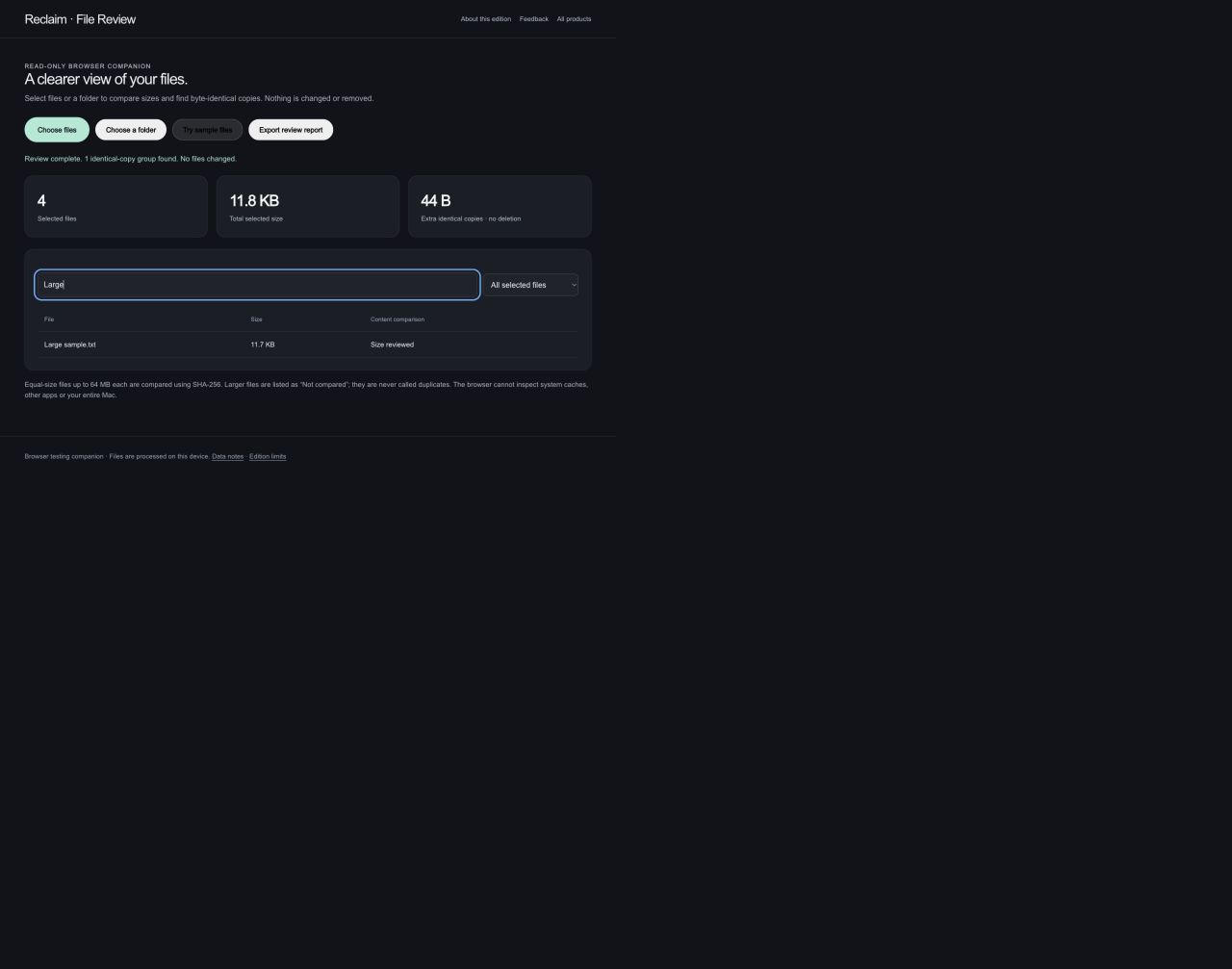
Search the selected files to focus on a smaller set.
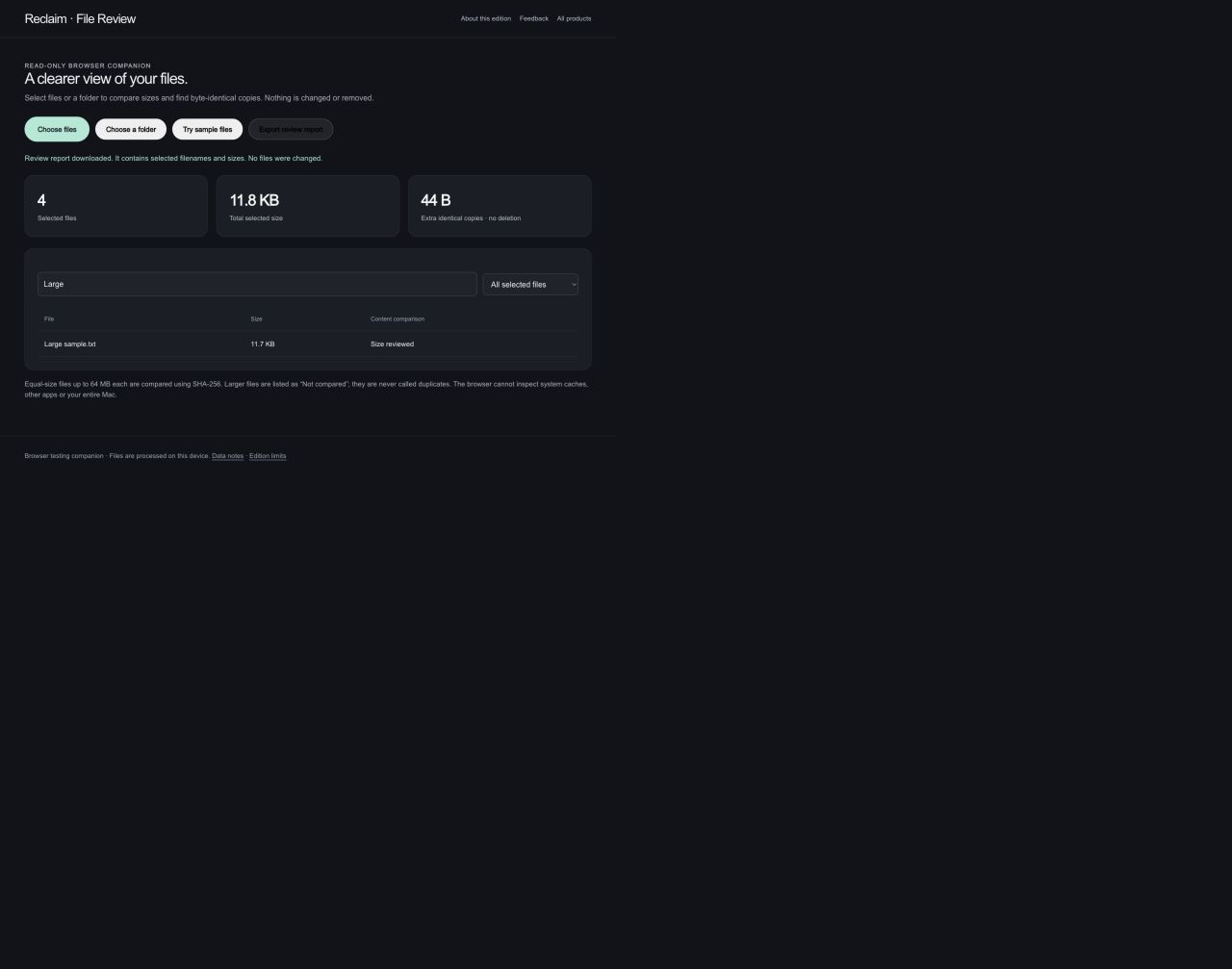
Export the review as a report. The source files remain unchanged.
The browser companion only reviews selected files. It cannot scan the whole Mac, clear caches, quarantine or delete files. Actual browser captures · September 29, 2026.
YOUR BROWSER EDITION
Inspect files you select, find identical copies by content, sort large files, and export a review report.
This read-only browser companion cannot scan your whole Mac, clear caches, quarantine or delete files. It is a scoped testing experience for file review, not the native cleanup engine.
Mac release candidates are under review. Public download links are not available yet. No public iOS build is available.