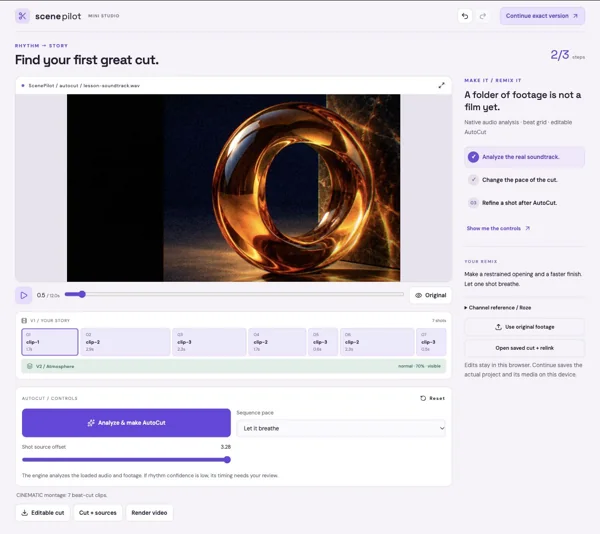
01 / RHYTHM → STORY
Find your first great cut.
A folder of footage is not a film yet.
Momentium Creative SuiteOne of four creative products
Browser Lite / OPEN FOR EXPLORATION
Find the rhythm. Make the cut.
Start a video project, explore the timing and refine the sequence in Browser Lite.
Browser Lite · desktop Pro features and release status are separate
Open a tiny real studio. Make one striking change, understand the edit, then keep going with that exact version.
Travel, music, movement, and an artist's everyday world. Watch the channel references, then import original MP4/MOV footage into any lesson. Current editable projects use the supplied Momentium source studies.
Explore the reference collection ↗Practice soundtrack ↓Clip 01 ↓Clip 02 ↓Clip 03 ↓A folder of footage is not a film yet.
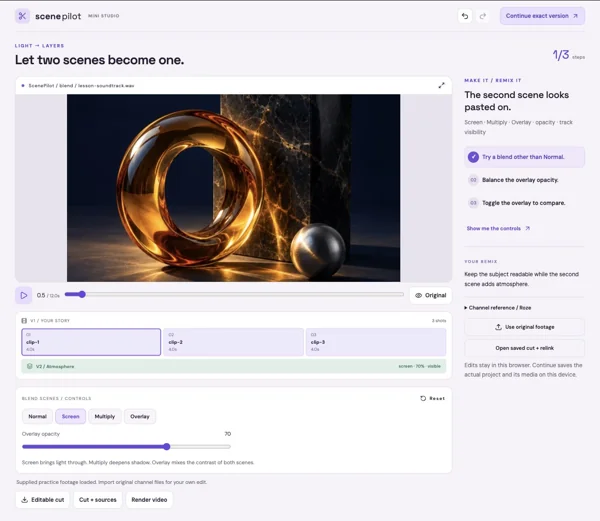
The second scene looks pasted on.
The footage has no shared visual mood.
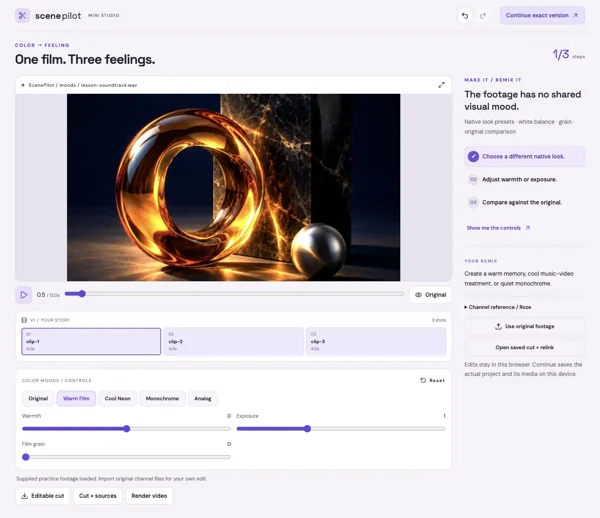
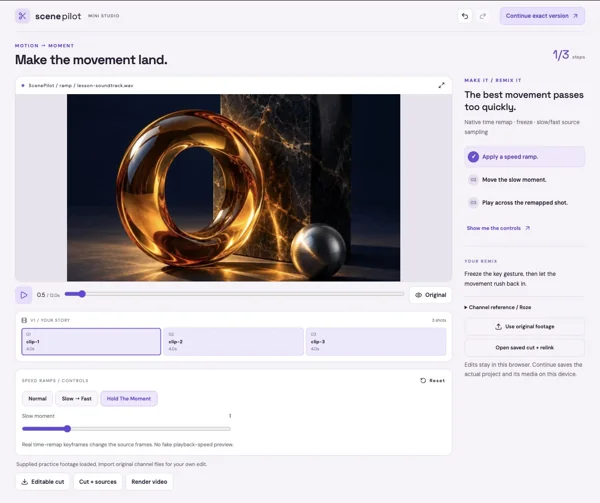
The best movement passes too quickly.
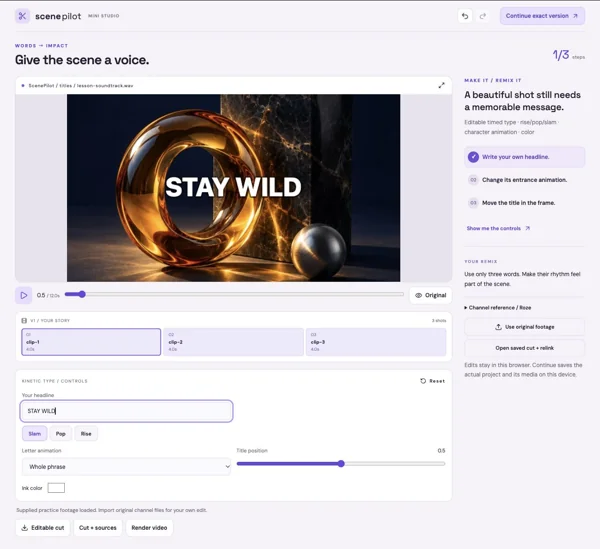
A beautiful shot still needs a memorable message.
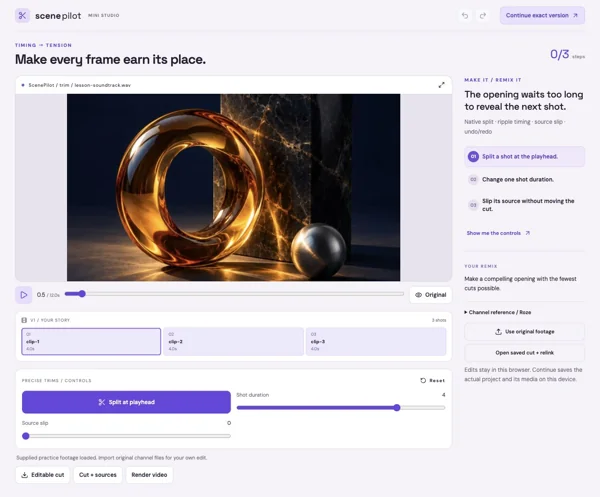
The opening waits too long to reveal the next shot.
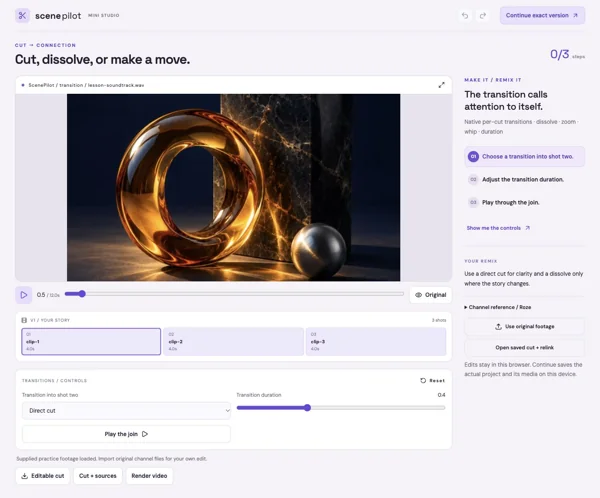
The transition calls attention to itself.
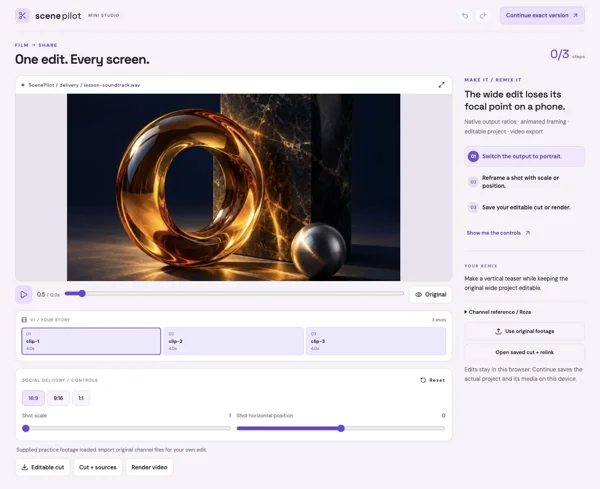
The wide edit loses its focal point on a phone.
Coast and Joshua Tree: tease the setting, reveal a person, and finish on the strongest landscape. AutoCut supplies timing; you decide which shots tell the story.
Its All Love or I FEEL ALIVE: blend light over performance, land kinetic type on an accent, and use one speed change to make a gesture memorable.
Day In The Life: trim to small details, move a phrase through the frame, and keep the color treatment consistent across the film.
These lessons run native analysis, sequence editing, track blending, grading, titles, remapping, framing, and browser delivery. Preview and export share the same compositor.
Native overlay track blends: Normal, Screen, Multiply, Overlay. Desktop composition layers also support Lighten, Darken, Difference, and Color Dodge.
Desktop Pro goes further: editable masks and rotoscoping, point and planar tracking, 3D compositions/cameras, effect graphs, transcript editing and story assembly, color scopes/Curves/LUTs, audio buses, professional interchange, and queued deliveries. These are deeper lesson directions, not unlocked desktop features in a browser preview.
INSIDE SCENEPILOT
Find the rhythm of your footage, then shape the edit, sound, and motion.
19features to explore
Bring in audio and video and manage linked source files.
Try this in an exampleAnalyze music or footage and generate an editable starting sequence.
Try this in an examplePreview a proposed cut before applying it to the active edit.
Try this in an exampleArrange, split, trim, move, and refine clips.
Try this in an exampleMark source ranges and use supported insert, overwrite, and fit-to-fill workflows.
Combine multiple video and audio tracks.
Preserve supported picture/audio relationships during editing.
Decoded waveforms, clip gain, panning, fades, crossfades, and volume automation.
Supported speed changes, rate stretching, and professional trim operations.
Apply and preview available transitions, effects, grading, and generated visuals.
Try this in an exampleCombine text, footage, shapes, and other layers in reusable compositions.
Keyframes, easing, value graphs, motion controls, parenting, nulls, and precompositions.
Nested compositions, masks, mattes, and supported blending workflows.
Person and object isolation paths, plus removal tools requiring shot-by-shot review.
Speech transcription and transcript/caption editing workflows.
Media bins, proxies, relinking, recovery history, and saved projects.
Extension packs containing compositions, looks, and effect recipes.
Browser Lite targets local 1080p H.264 delivery; Pro adds broader profiles, 4K workflows, and a persistent render queue.
Try this in an exampleSupported WAV stem and OpenTimelineIO workflows.
AFTER HOURS / ScenePilot / Browser Lite
Bring three original visual studies and a freshly mixed soundtrack into an editable cinematic sequence.
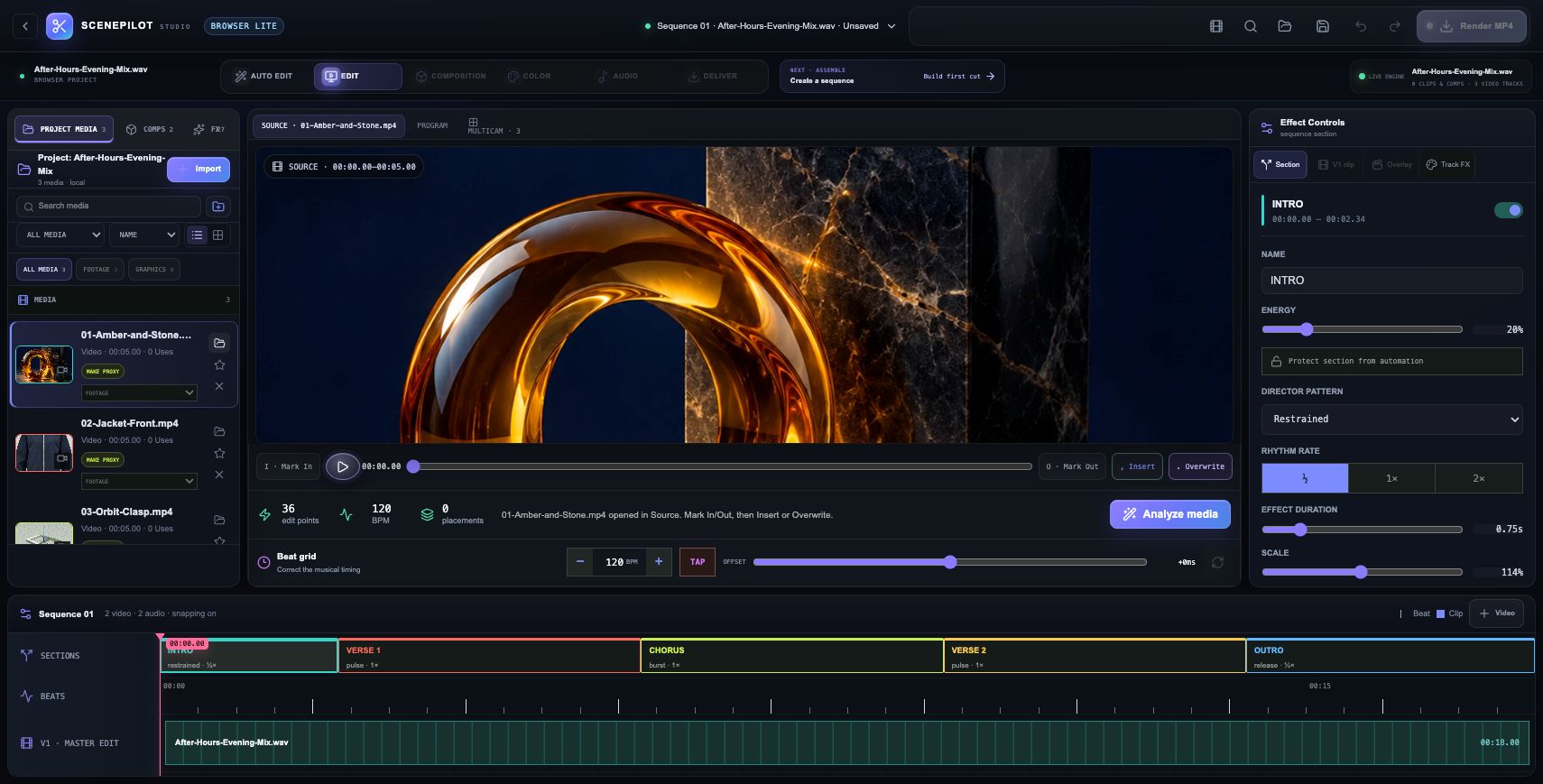
Three original five-second clips bring the artwork, jacket and Form clasp into the media bin. The real StemDeck mix supplies the 18-second soundtrack.
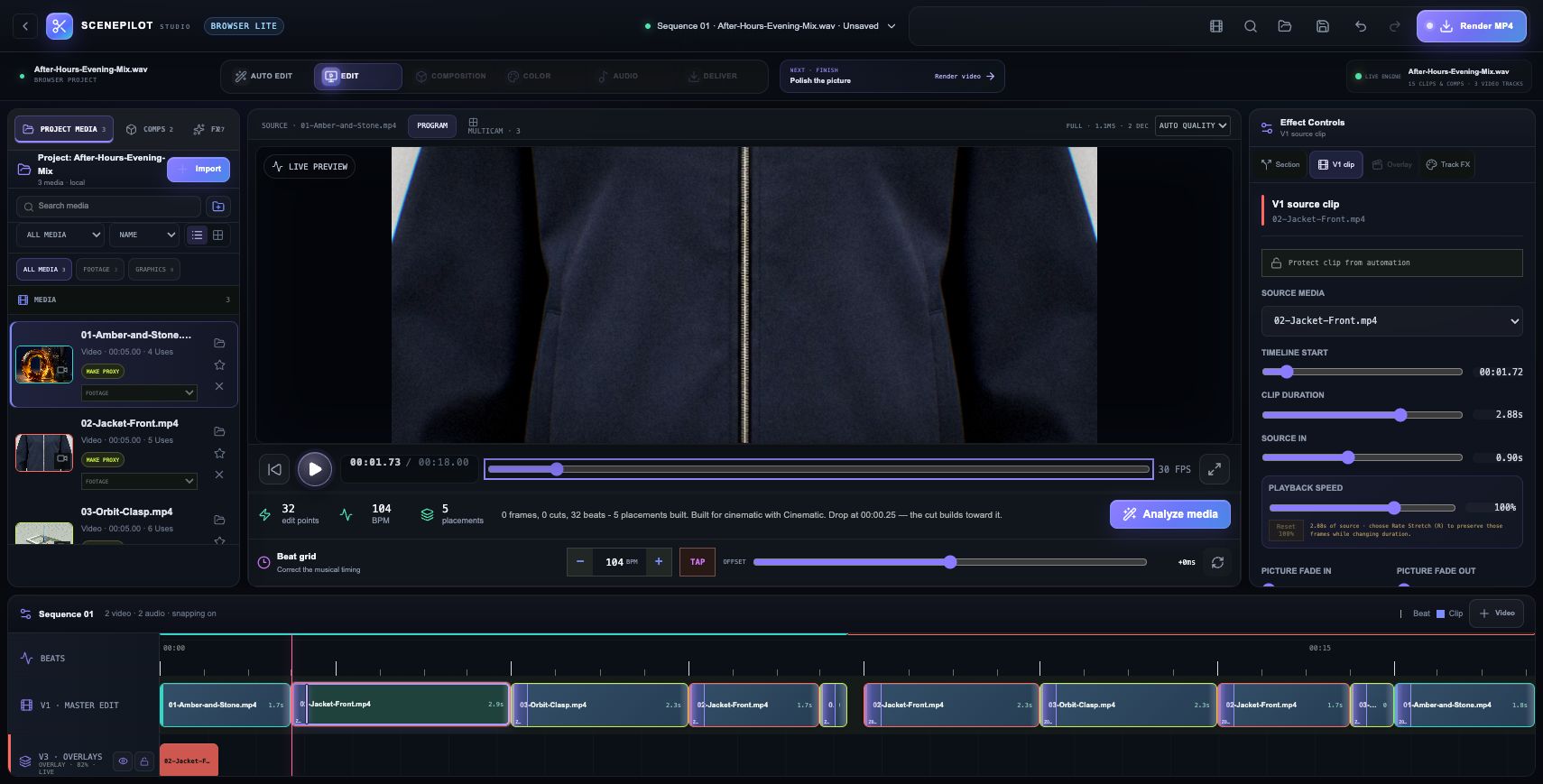
Cinematic mode analyzes the soundtrack at 104 BPM and creates ten master clips, with five additional overlay placements. The sequence stays editable.
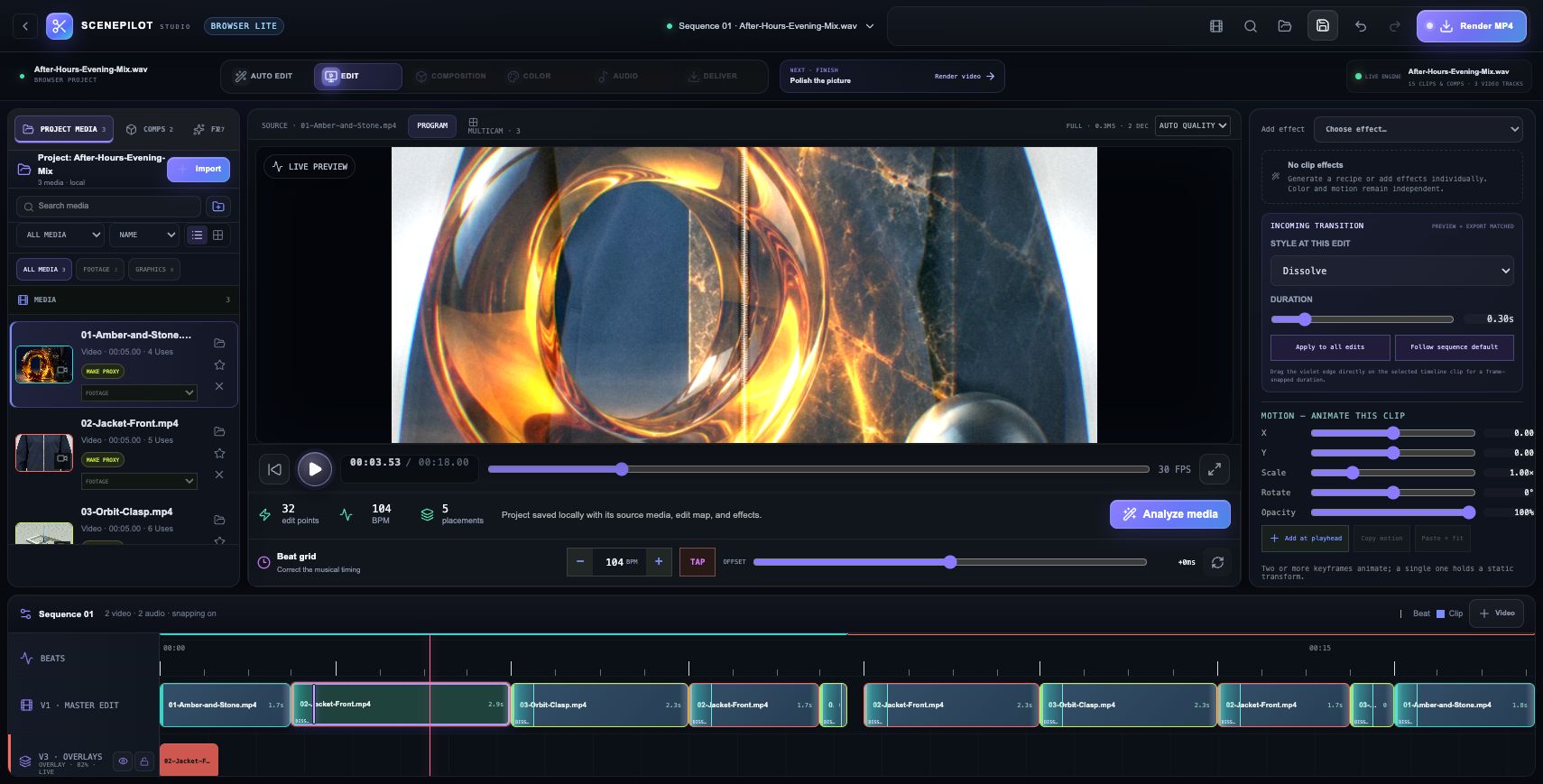
The incoming edit changes from Zoom to a 0.30-second Dissolve, then applies to every master edit. The program monitor shows the resulting layered picture.
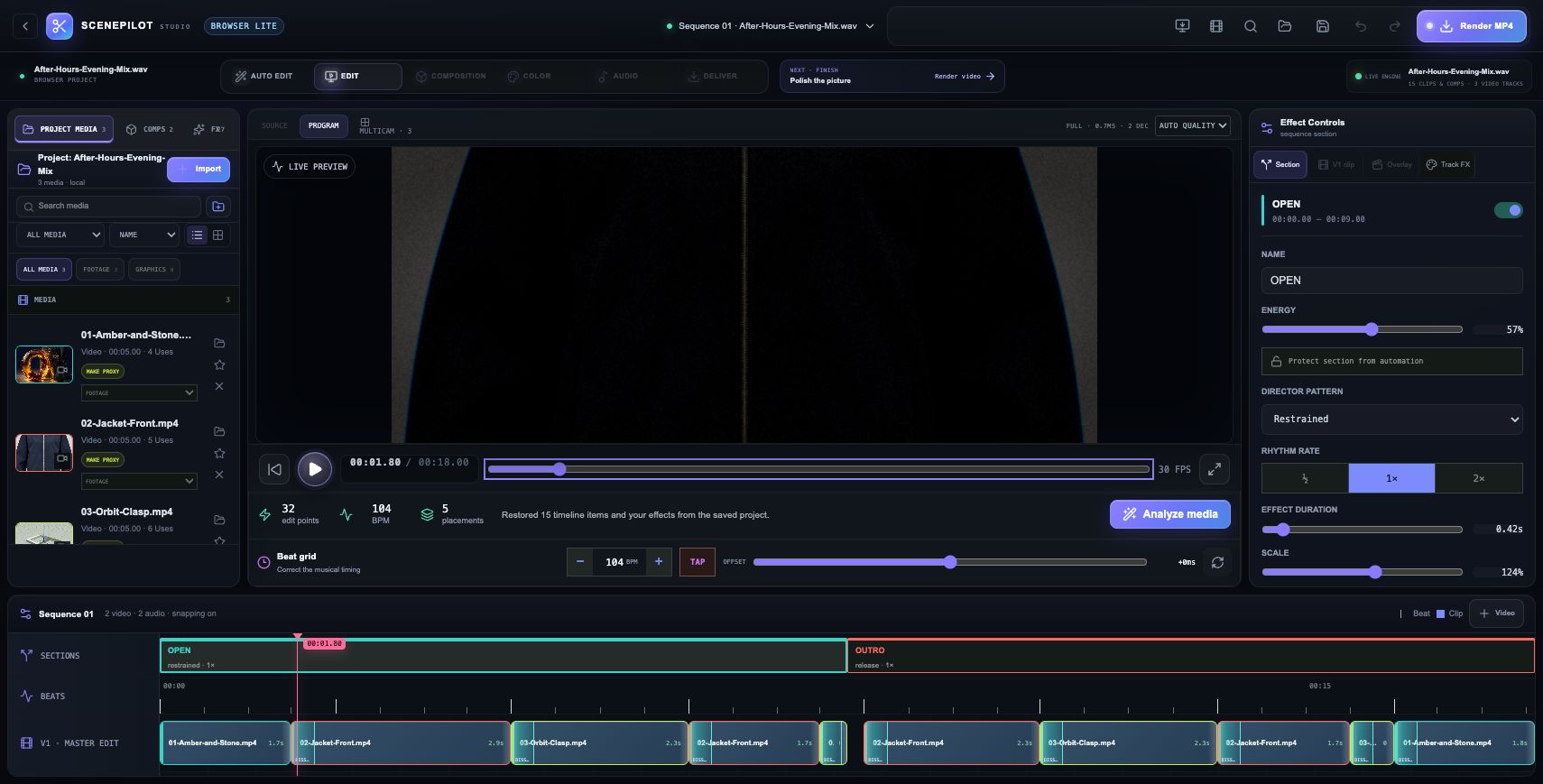
After saving and reloading, Restore saved project brings back the three source clips, soundtrack, 15 timeline items and effects. A real exported cut JSON preserves the edit map.
Actual Browser Lite session. Source clips use original artwork, jacket references and the Form render. The downloadable JSON contains edit metadata and requires the source files. MP4 export canceled before writing a file; no rendered video is claimed.
Browser Lite / WORKFLOW GALLERY
Real sessions. Four useful moments. A closer look at what you can make.
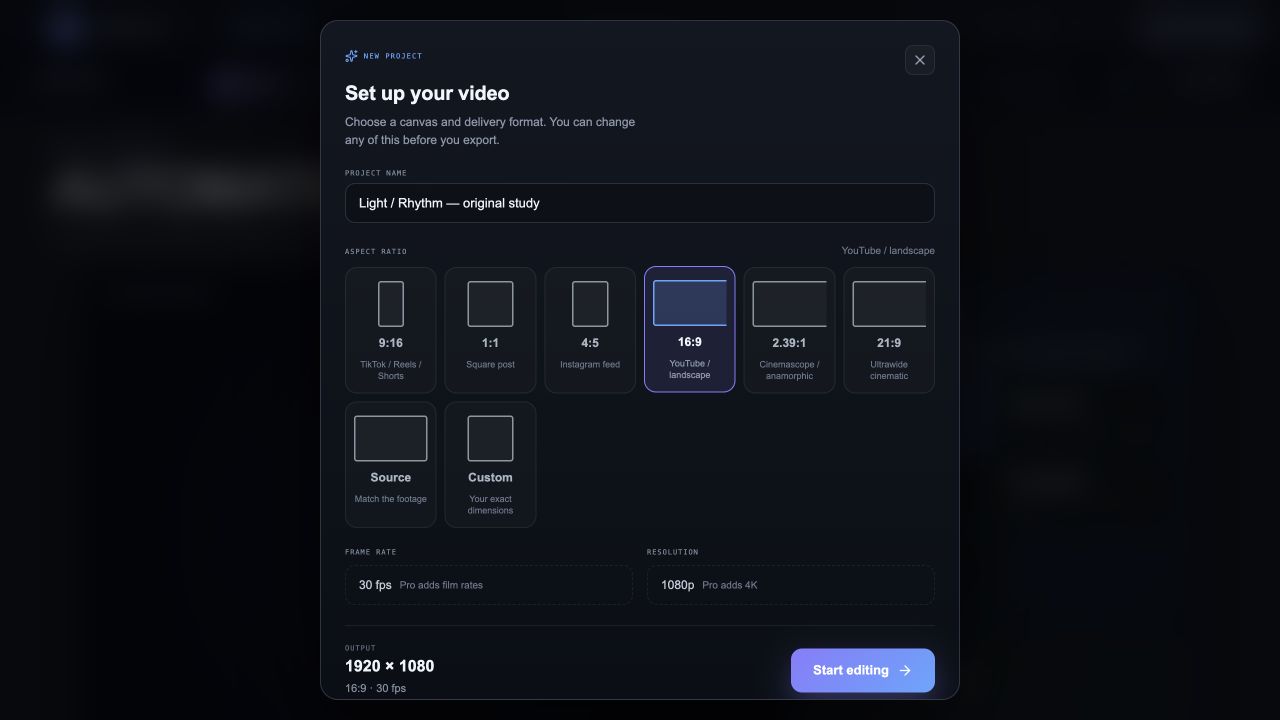
Choose an aspect ratio and begin a browser video project.
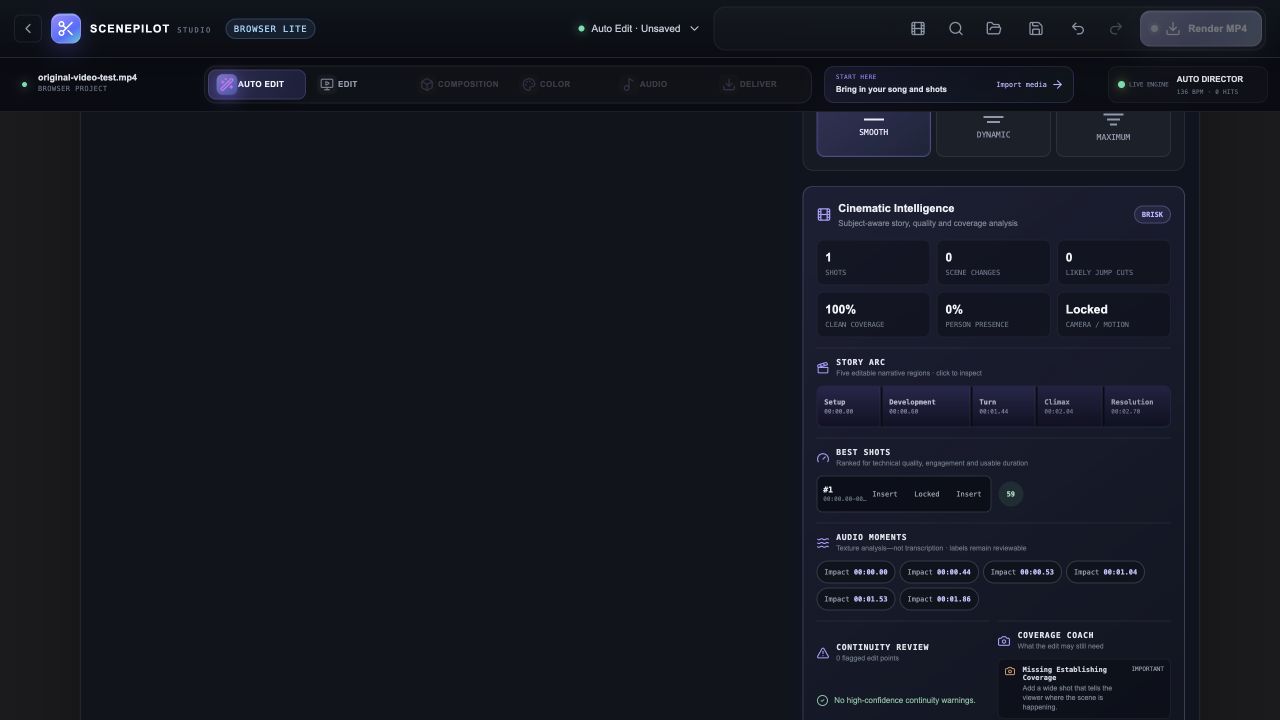
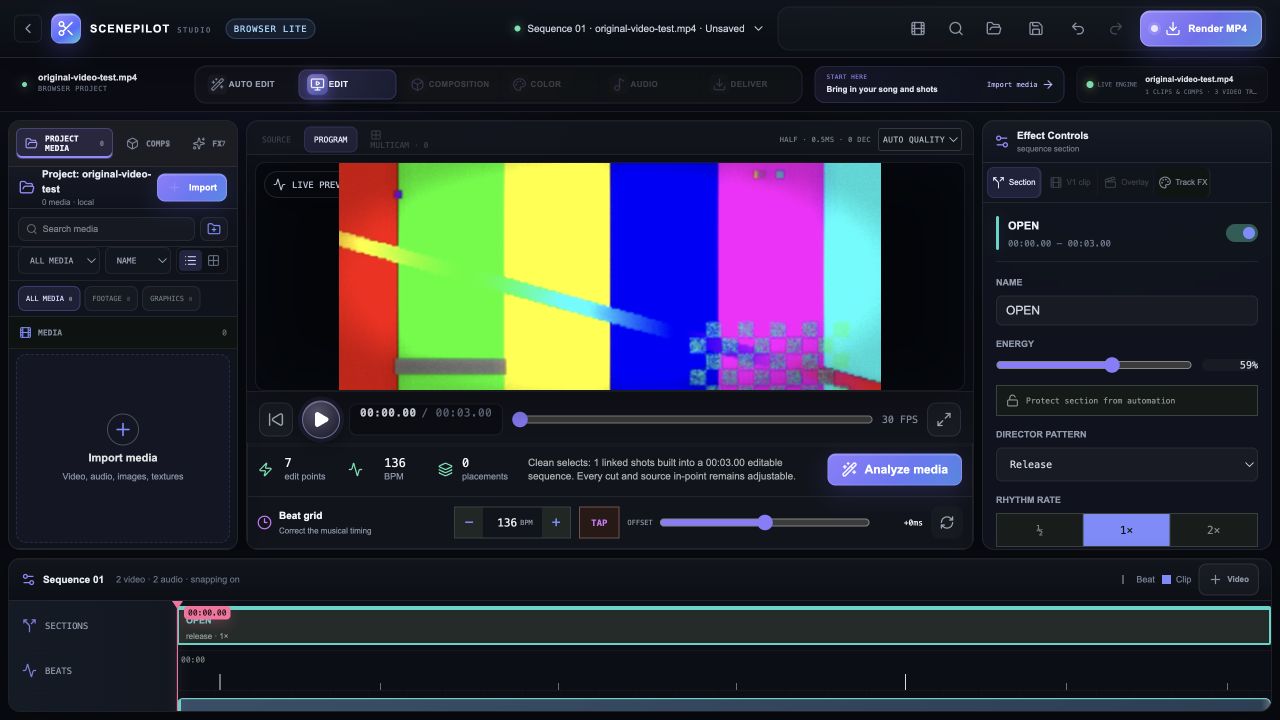
Analyze an original test clip to reveal timing and shot information.
Continue with a normal editable timeline after analysis.
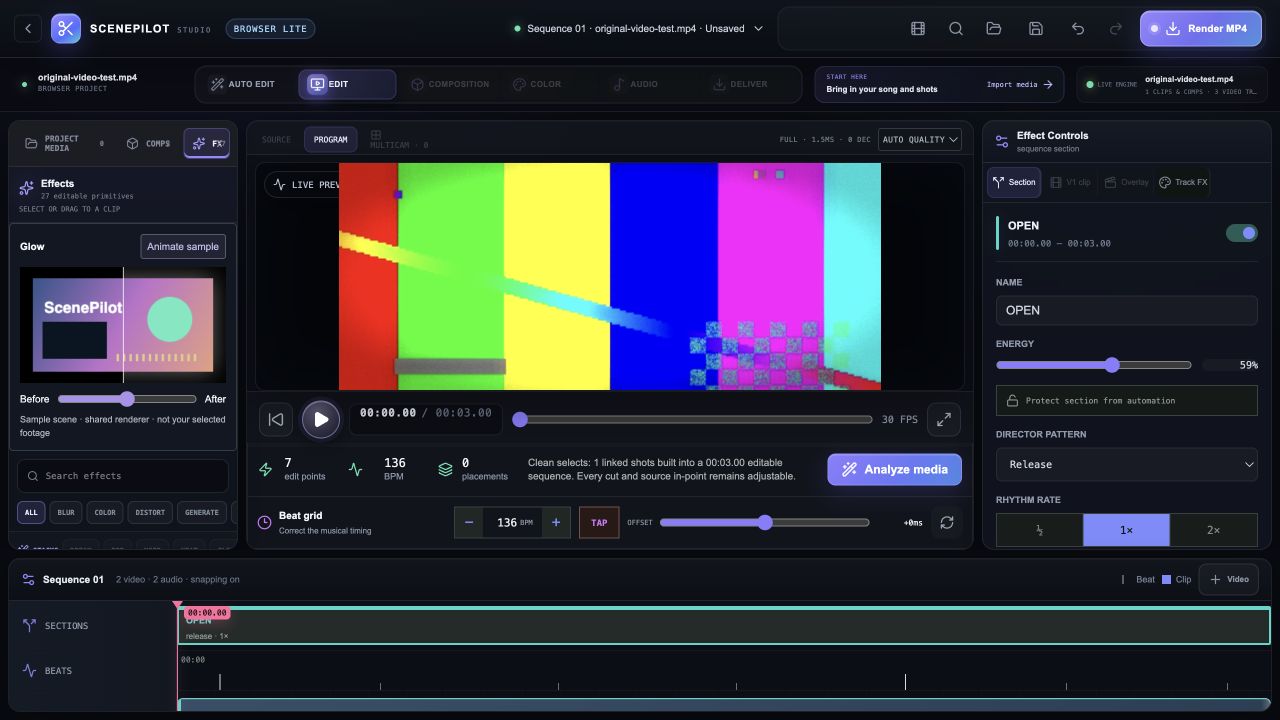
Inspect the available Browser Lite effects and editing controls.
Original synthetic test footage. These are Browser Lite captures; the full native Pro workspaces have a different feature set. Browser codec and export support varies. Actual browser captures · September 29, 2026.
YOUR BROWSER EDITION
Try the existing Browser Lite editor with your own media and a beat-aware edit.
Desktop Pro adds native media processing, inference and delivery features. Browser decoding and export depend on available codecs and memory. Native release qualification is incomplete; Intel is unqualified.
Mac release candidates are under review. Public download links are not available yet. No public iOS build is available.